Editing a Webpage
Knowledge Base | Webpages | Editing a Web Page
Editing a webpage and its components allows you to keep your website's content accurate, relevant, and up to date. You may need to edit a page to update text, replace images, correct information, add new content, or improve the overall layout and design. Regularly reviewing and updating your webpages helps ensure your audience receives the most current information and provides a better user experience.
If you are making significant changes, it is recommended to disable the page or component while editing so that visitors do not see incomplete or in-progress updates.
Enabling or Disabling a Page | Mition Knowledge Base
Enabling or Disabling a Web Component | Mition Knowledge Base
There are several ways to update content in Mition, depending on what you need to change. Whether you are editing an existing web page, updating a web component, or modifying other website content, Mition provides simple tools to help you keep your website accurate and up to date. In the following sections, we will walk through the most common methods of making updates and explain when to use each option.
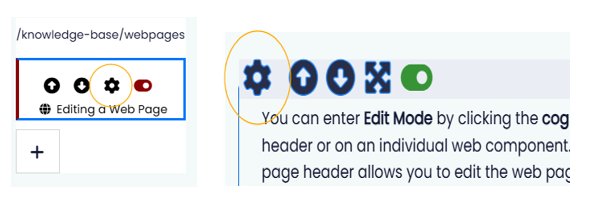
You can enter Edit Mode by clicking the cog icon in the webpage header or on an individual web component. Clicking the cog in the page header allows you to edit the webpage's settings, while clicking the cog on a web component lets you edit that specific component without affecting the rest of the page.
Pages and web components can be deleted when they are no longer needed, such as when content is outdated, duplicated, or has been permanently removed from your website.
If you think you may need the content again in the future, it is recommended that you disable or unpublish the page or component instead of deleting it (see links above). This keeps the content hidden from your audience while preserving it for future use.
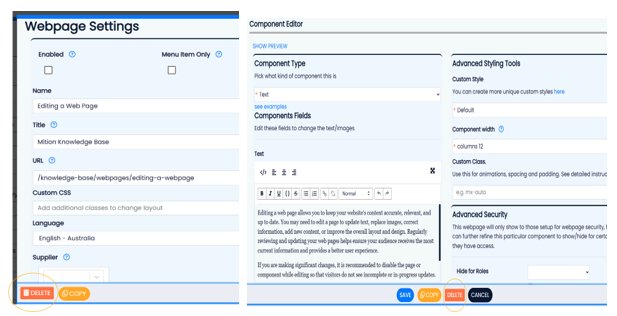
Oh no! I deleted my page!
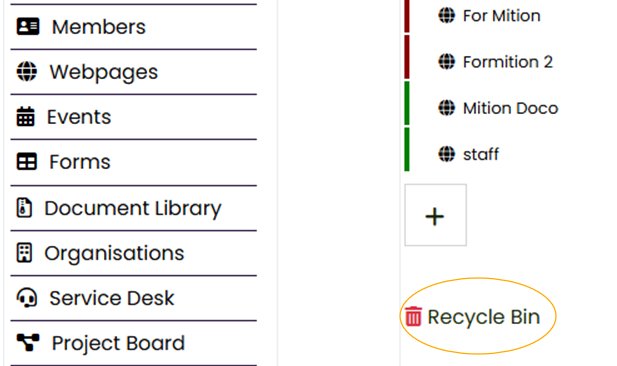
Don't worry! If a page or web component is accidentally deleted, you can restore it from the Recycle Bin. Simply locate the deleted item, restore it, and it will be returned to your website, allowing you to continue editing or republish it as needed.
Every time a web page component is saved, Mition automatically creates a backup of its content. Web editors can restore any of the last 10 saved versions directly from the History button in the component editor. Older backup versions are also retained by Mition and can be restored by contacting Support if required.
This feature provides added peace of mind by allowing you to quickly recover previous versions, undo unwanted changes, or restore content that has been accidentally modified.
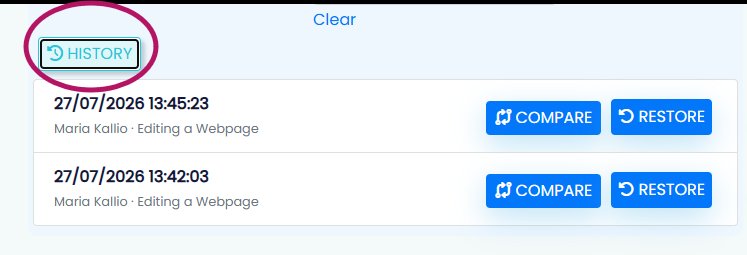
To access the version history, click the Settings cog on the web component, scroll down and select History. Here you can view all saved versions, compare changes between versions, and restore a previous version if required.
This webpage was built with Mition