Creating a Web Page
Knowledge Base | Webpages | Creating a Web Page
Webpages are a great way to provide information to your members, staff and anyone else.
With the ability to quickly create a webpage, add some text to it and save it so everyone can see it, it is the fastest way to keep everyone informed.
The website editor in mition is really easy to use.
Creating webpages
To create a new page on your website:
- go to Webpages (you can find the link to webpages on the dashboard)
- Click on the [ + ] button under neath the list of pages
- Add a name and a URL and press save.
You can customise more things under "Advanced Settings", like who has access and whether this page should be included in the menu or page searches, dashboard and main menu.
Now click on the webpage it created and go and add a component. A component is added by clicking the larger [+] link on the right hand side.
Limit access to members only
Once you save your page, you can leave the Roles blank which makes the page available to all users or you can add one or more roles. Roles can be associated to users through subscriptions or given to users manually. For example a paying member can be given the role of "Member" when they sign up and pay for a subscription. Staff are usually manually assigned the role "staff" by other staff or administrators.
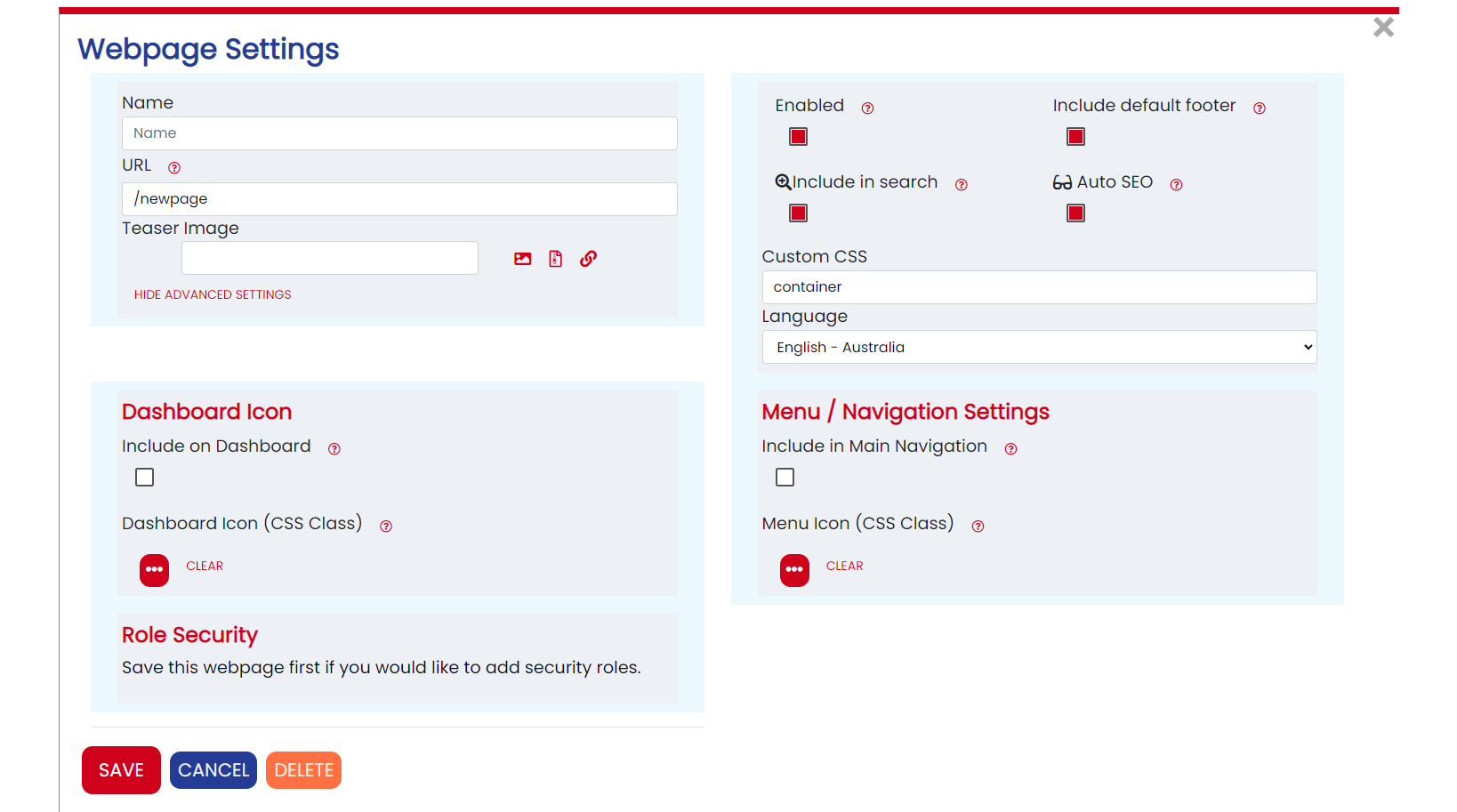
How to create folders the system actually doesn't have folders, but if you use a URL like /test/page it will show a logical folder called /test/ and you can put multiple pages in there by naming more than one webpage in these logical folders. Dashboard Tip: If you do select to add this to the Dashboard, make sure you select an icon for it. On the dashboard it will show the Description in this section, so in most cases turn Auto AI SEO off and write your own description. The AI SEO could create one that is too long to appear on the dashboard. Menu Tip: If you want this to be a submenu, you can select the page this menu item is to appear under.
Multi-Language
You can enable multiple languages for webpages under Admin Settings > Site > Languages. Each language has its own webpages, the webpage editor has a language selector at the top of the pages screen to allow you to switch between different site languages to create and edit pages. By default built in pages such as "Login", "Registration" have translations done by default. There are some areas not yet fully translated as this is always a work in progress. The staff functions and many backoffice admin functions are only in English.
Faster Websites with Smart "Caching Enabled"
Mition includes a powerful webpage caching system designed to make public webpages load incredibly fast — especially for users on mobile devices, slower internet connections, or international networks.
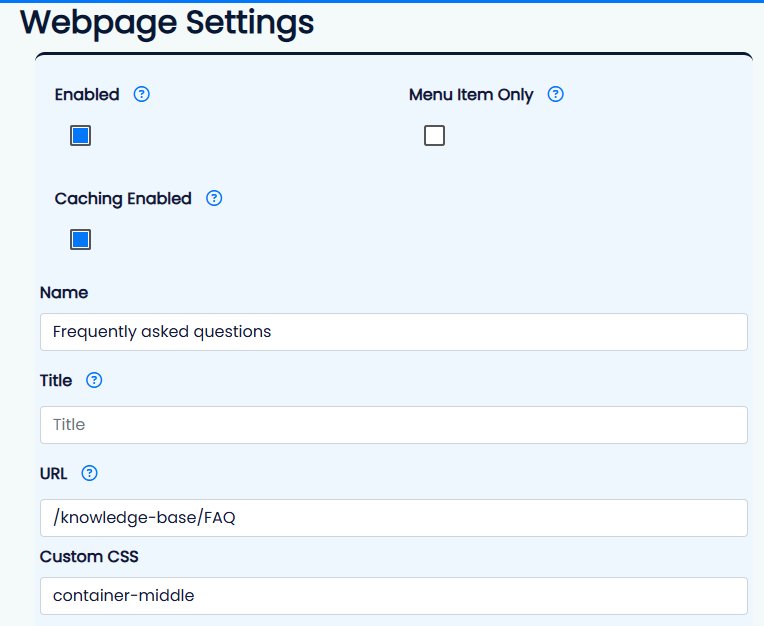
Caching can be enabled per page under:
Webpage Settings → Advanced Settings
When enabled, anonymous visitors receive a pre-generated cached version of the webpage instantly (if a valid cache exists & was created after the webpage last modified date & at most 8 hours old). This means the browser can display the page almost immediately without waiting for the full application to build itself in real time.
The webpages last modified date is changed whenever a webpage component is modified, e.g. when a web editor adds, removes or edits a webpage component. What it does not cater for is dynamic content like other webpages used in webcomponents such as page list, or menu, events, forms or data that it adds as it is loading, which is why the 8 hour rule exists.
Once the page is visible, Mition’s normal React application naturally hydrates in the background, progressively enabling advanced JavaScript functionality, dynamic interactions, and complex page behaviour.
The result is a modern “best of both worlds” experience:
- Extremely fast initial loading
- Immediate readable content
- Progressive enhancement into a fully interactive application
In many cases, users can already:
- Read content
- Scroll the page
- Click standard links
- Navigate the website
…before hydration has even completed.
Hydration mainly enhances more advanced functionality such as:
- Complex JavaScript components
- Dynamic widgets
- Interactive forms
- Real-time application behaviour
This approach is particularly beneficial for:
- Mobile users
- Global audiences
- Slow or unstable internet connections
- 3G and regional networks
- SEO and search engine indexing
Instead of staring at loading spinners while large JavaScript bundles download, visitors see meaningful content immediately. This dramatically improves perceived speed and creates a much smoother browsing experience.
Caching also helps search engines and AI crawlers receive fully rendered HTML quickly and reliably, improving discoverability and compatibility with modern indexing systems.
For many public-facing webpages such as:
- Marketing pages
- Event pages
- Information pages
- Landing pages
- Association websites
…caching can significantly improve both performance and user experience with a single setting..
The closest “modern framework” terminology is:
Static-First Progressive Hydration
or
Hybrid Prerendered SPA Architecture
Because that’s essentially what it is:
- prerendered HTML first
- hydration upgrades later
- SPA capabilities after boot
This webpage was built with Mition