User Directory
This is a tool for displaying and managing a searchable list of users or team members.
It organises user profiles in a structured and accessible format, making it easy to find specific individuals or view the entire directory.
Key Features
- Search and Filter: Users can search by name, role, or department and apply filters to refine results.
- Profile Cards: Displays key details like name, position, contact info, and profile pictures.
- Responsive Design: Adapts to different screen sizes for seamless viewing.
Examples
- Internal Teams: Companies showcasing team members for internal directories or collaboration tools.
- Networking Events: Event organisers providing a directory of attendees for easier connections.
- Membership Portals: Organisations presenting a member directory for user interaction or networking.
Users can control their public profile visibility by setting it to Hidden or Visible, and can choose what information is shown to the public.
By default, profiles display a “Contact” button, which is system-controlled. This allows others to request contact without exposing any personal details.
Users may optionally choose to display:
- Phone number
- Email address
- Or both
Note: If a user sets their profile to Hidden, they will not appear in public lists (e.g. committee lists). This setting must be updated at the user level for them to be included.
Brett Andrew

Managing Director/ Enterprise Architect
Mition

Paulo Goncalves

Application Specialist
mition
Geoff Griffin

Network Specialist/ Disaster Recovery
mition
Maria Kallio

mition
Amy Mitchell
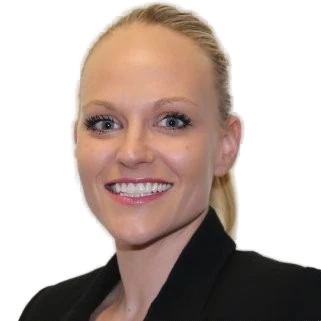
Head of Business Development/Co-Founder
Formition Pty Ltd
Andrea Moore
Formition Pty Ltd
Support Team

mition
Liv Tully

Marketer Extraordinaire
mition
User Summary
This element provides a quick overview of a user's profile. It centralises key personal information, making it easy for users to manage their accounts efficiently.
Key Features
- Profile Overview: Displays the user’s name and contact details.
- Account Management Links: Includes a link for editing the profile and changing settings.
- Notifications and Alerts: Highlights important updates like upcoming events or pending tasks.
Examples
- Dashboard Overview: Summarises key metrics
- Profile Page: Displays personal details and allows updates.
- Admin Panel: Provides a quick view of user activity for administrators.
User Directory (Map)
It displays user profiles on an interactive map, helping organisations identify geographic distribution, support local engagement, and improve visibility of teams or members. Users can search by name, role, or region, and apply filters to refine the...
Read MoreThis webpage was built with Mition