Column
The web editor is one large bootstrap column, this web component allows you to create columns within that column.
If you had a long web component, for example a Size 3 Side Menu web component, the item to the right of it would appear but the next item would appear below the Side Menu.
A column allows you to fill that space more efficiently, create a column next to the Side Menu size 9 and now all the items you add to the column will appear to the right of the side menu.
See this example that shows this representation:
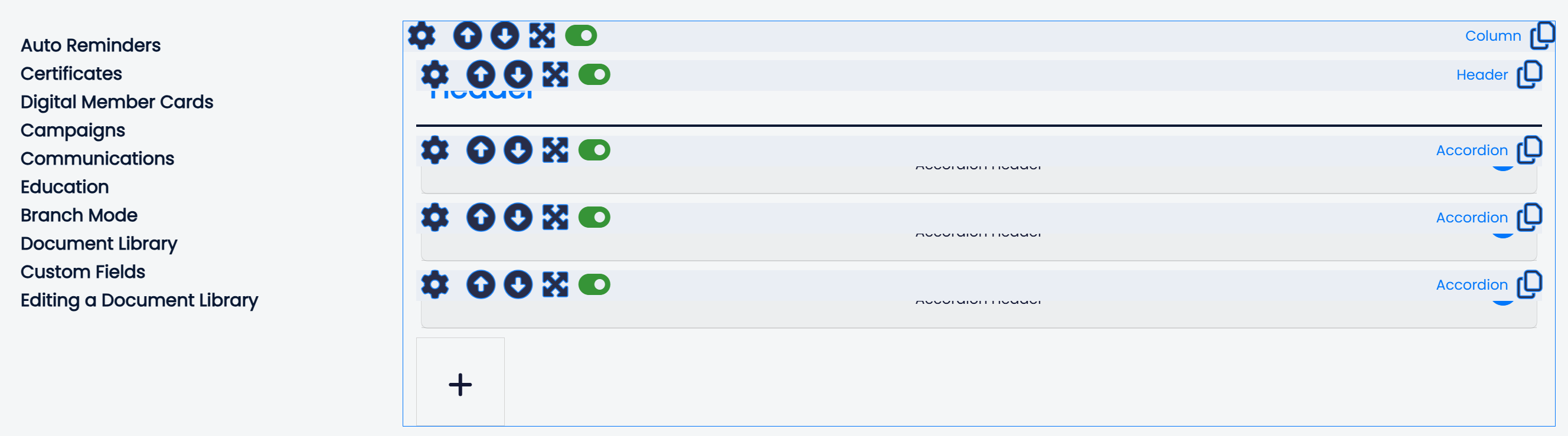
In the Mition website editor, the column web component looks like this (see below image), with a [+] icon that enables you to add new items. You can also adjust the order of items up / down within the column web component.
You can also stack column components side by side in any configuration (e.g size 6 and size 6). Add a custom CSS class to the column and target the whole row for custom CSS.
Contact us
This web component allows you to place the same Contact Us form in a more accessible location and surround it with additional content, such as text boxes that list alternative contact options. When submitted, the form sends an email to the configured...
Read MoreThis webpage was built with Mition