Refund Report
Knowledge Base | Invoicing | Refund Report
This guide outlines the recommended method for generating a report of refund transactions within the Mition platform. Whether refunds are processed via Stripe, bank transfer, or manually outside the system, this approach ensures accurate tracking and easy export of refund data. By filtering for payments with amounts less than zero, users can reliably identify all refund activity, regardless of the payment gateway or method used. This guide provides a straightforward method for downloading refund payments from the Mition platform, ensuring users can efficiently access their financial data. By following the step-by-step instructions, users can filter and save specific refund information, making it easier to manage their accounts. Whether for personal tracking or business purposes, this guide simplifies the process, saving time and reducing confusion.
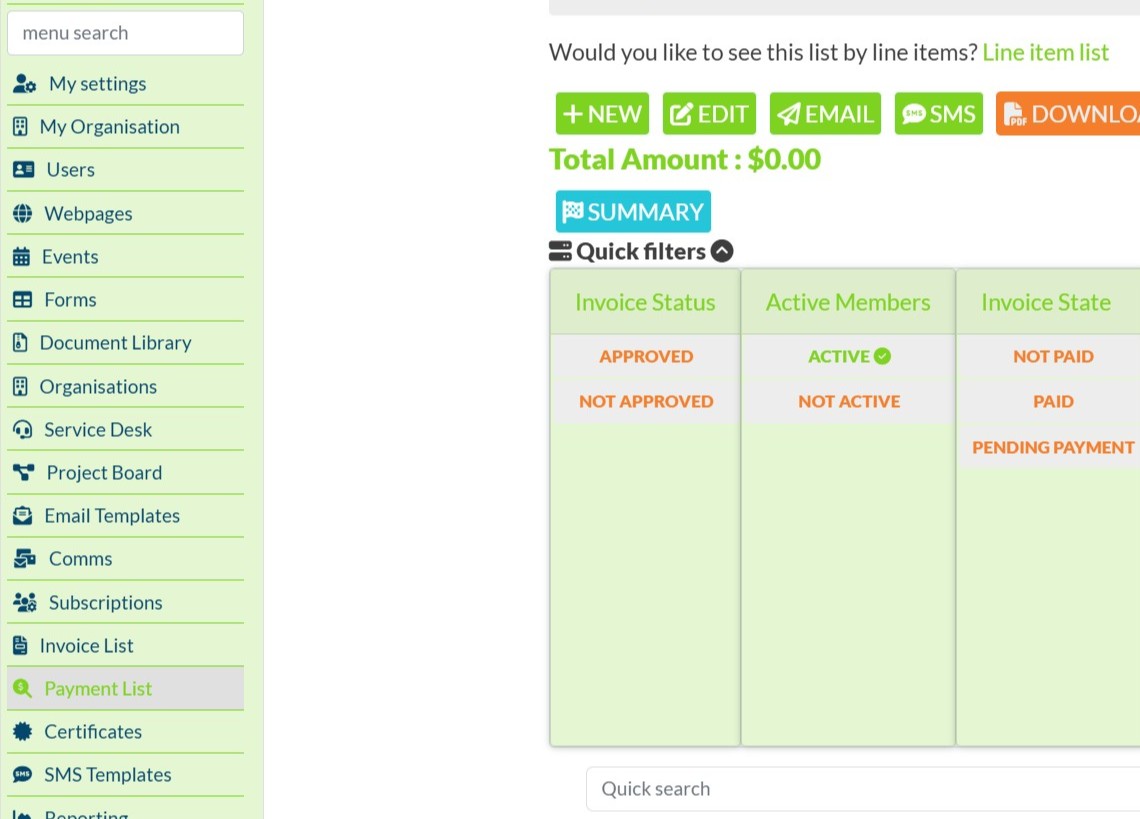
Access the Payment List
- Navigate to the Payments section in the Mition dashboard.
- Click Payment List to view all transaction records.
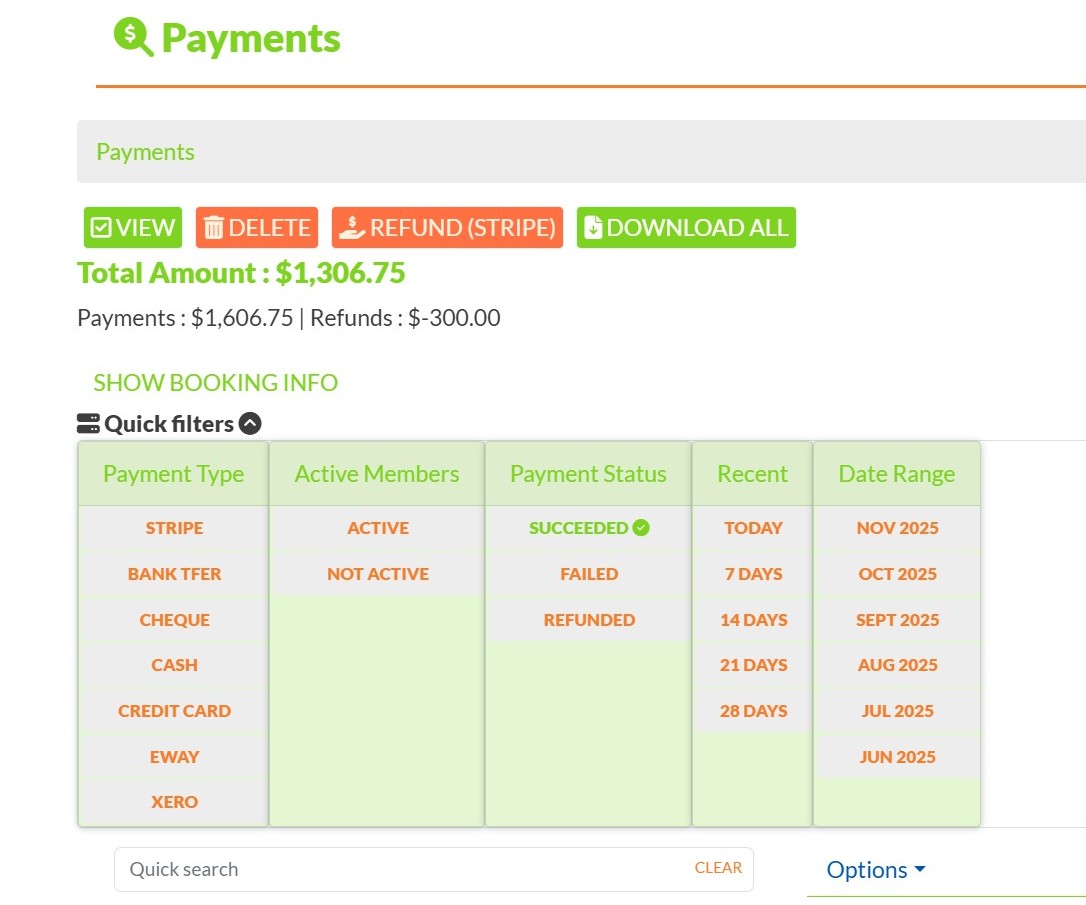
Apply Advanced Search Filters
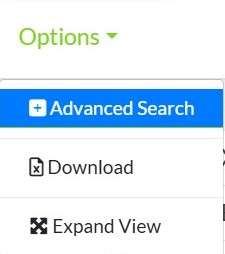
- Click Options on the Payment List screen.
- Select Advanced Search.
- Click the + button to add a new filter
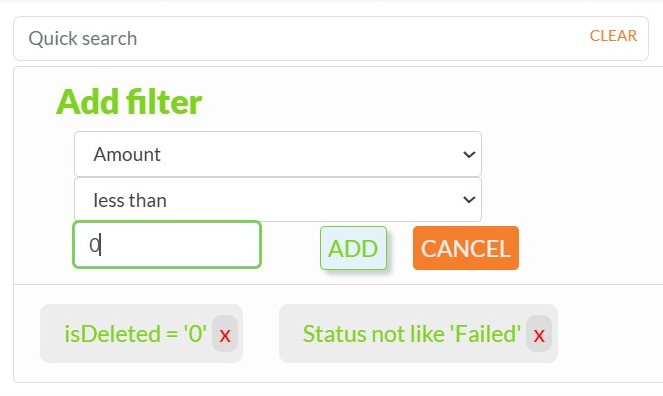
Filter by Refund Amount
- In the filter dropdown, choose Amount.
- In the condition dropdown, select less than.
- In the value field, type
0. - Click Add to apply the filter.
This filter captures all payments with negative values, which represent refunds. It is the safest and most consistent way to identify refund transactions.
Save the Filter for Future Use
- Once the filter is applied, click Save Filter.
- Give your filter a name (e.g. “Refunds Only”) so you can quickly access it next time.

Apply a Date Range (Optional)
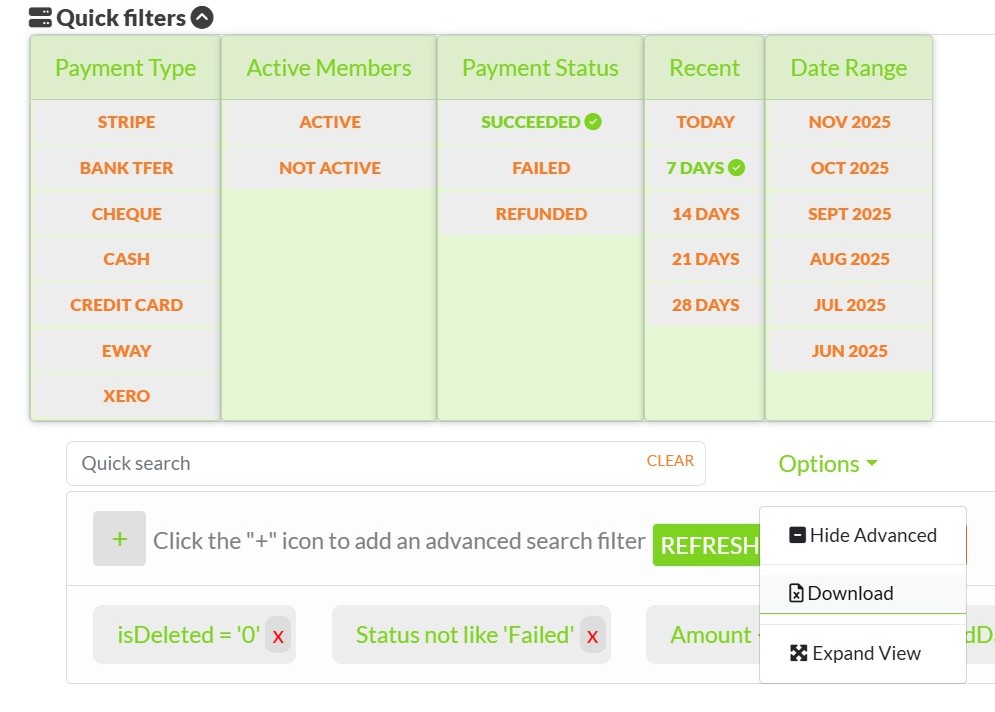
- Click one of the quick date filters such as 7 Days, 14 Days, or 28 Days.
- These filters will automatically add date conditions to your search.
- You can manually adjust the date range in the advanced filter panel if needed.
Download the Refund Report
- Click Options again.
- Select Download to export the filtered refund data.
- The report will be downloaded in spreadsheet format for further analysis or record-keeping.
Notes
- This method works for full and partial refunds, including those processed manually (e.g. bank transfer, cheque).
- Refunds issued outside of Stripe or Mition will still appear if recorded with a negative payment amount.
- You can combine this filter with others (e.g. by gateway, member status, or invoice ID) for more targeted reporting.
This webpage was built with Mition