Workflows- Validating Users- AI Task
Knowledge Base | Workflows | Validating Users- AI Task
Managing tasks efficiently is essential for keeping your workflow running smoothly. To make this easier, the Mition platform now includes an enhanced AI Task Auto‑Reminder system. This feature automatically sends reminders as tasks are created and can also generate a daily summary of all AI‑generated task notifications. Whether you’re tracking approved tasks, paid tasks, or general workflow activity, this update helps ensure nothing slips through the cracks.
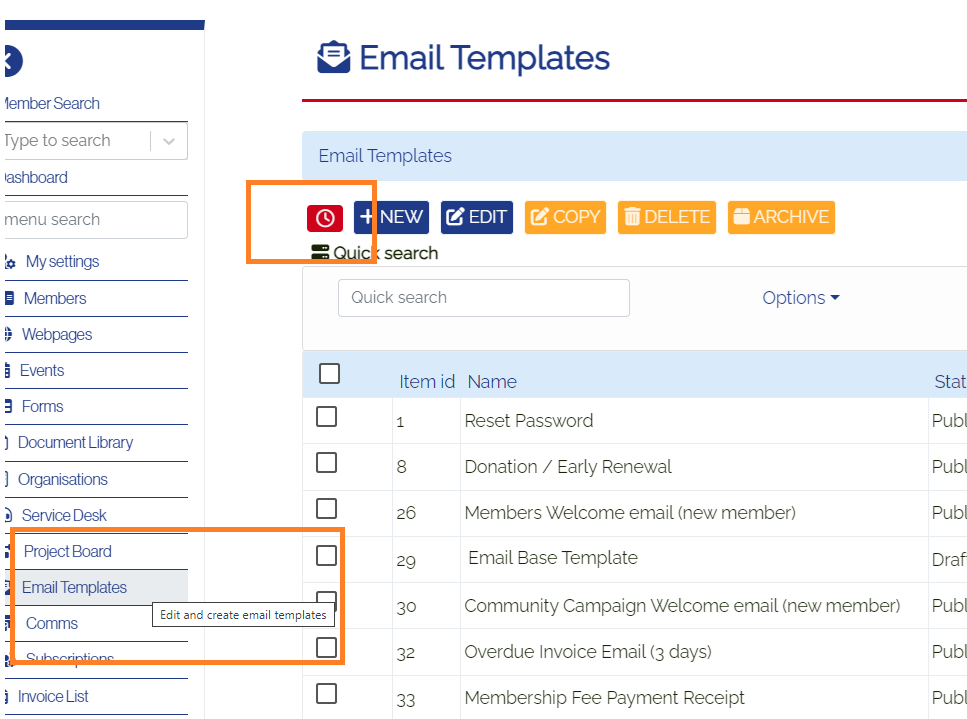
Email Templates → Auto Reminders
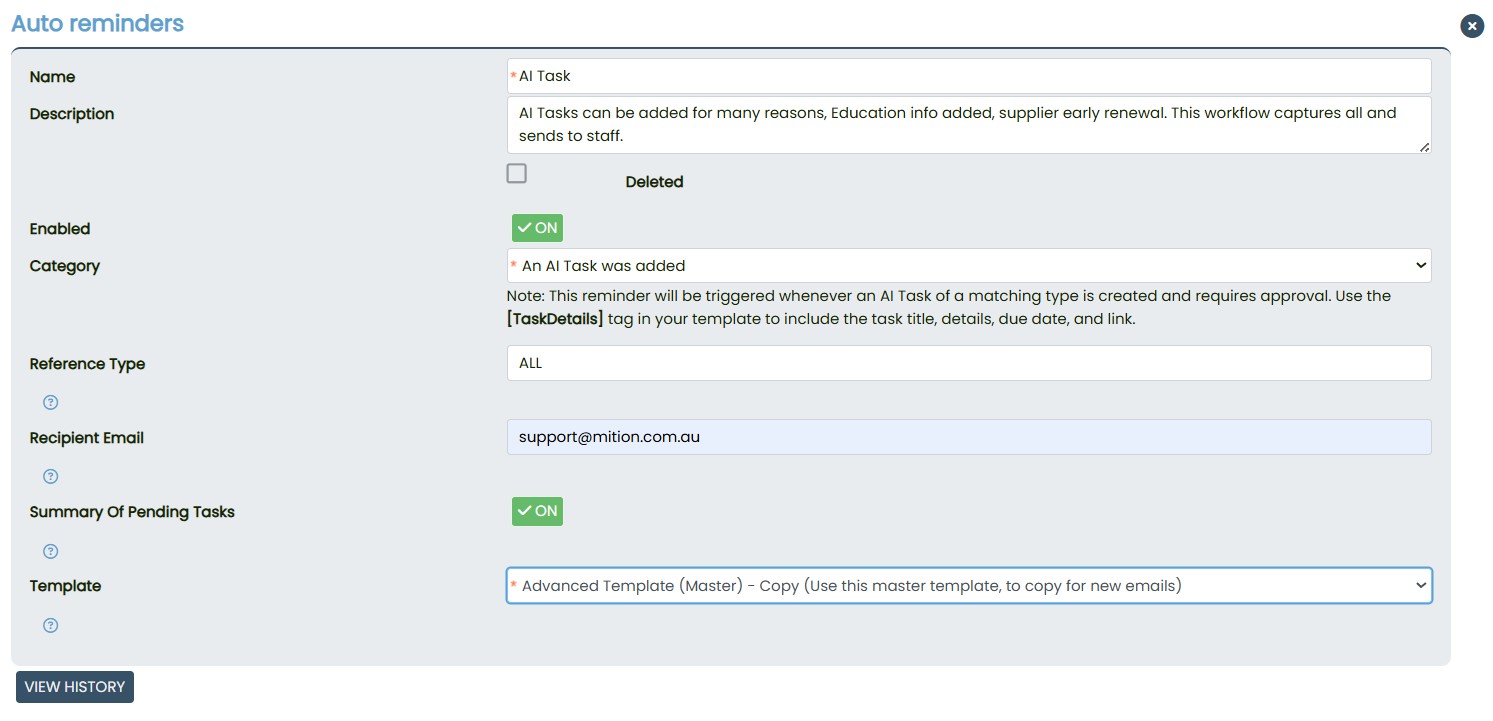
You should see a list of reminder Category, including the one labelled- An AI Task was added.

AI Task Auto‑Reminder Setup
The AI Task Auto‑Reminder allows you to automatically notify users when new AI‑generated tasks are created.
Key Features
- Automatic Email Notifications
Each time an AI Task is created, the system can instantly send an email to the relevant user or team. This removes the need for manual follow‑ups and keeps everyone in the loop. - Daily Summary Option
A new checkbox in the reminder setup allows you to enable a daily summary. When selected, the system compiles all AI Task notifications from the day and sends them in a single consolidated email. - Improved Reporting
The Tasks Report (Approved / Paid) now supports automated reporting on these AI Task reminders. If any AI Task notifications were generated during the reporting period, they will be included in the automated report.
How It Works
- Enable AI Task Auto‑Reminder
In the reminder settings, tick the checkbox to activate automatic notifications for AI‑generated tasks.
- Select Daily Summary (Optional)
If you prefer a single digest instead of individual emails, enable the daily summary option. The system will gather all AI Task notifications and send them once per day.
- Automated Reporting
When running the Tasks Report (Approved / Paid), the system checks for any AI Task auto‑emails generated during the period. If found, they are included in the report output.
This setup ensures that both real‑time alerts and summary‑level reporting are available, giving your team flexibility and visibility across all AI‑driven task activity.