Workflows
Knowledge Base | Workflows | Form Validation
Form Checker Workflow – Configuration and Behavior
The Form Checker Workflow ensures that users complete all required forms — and where applicable, meet specific field validation rules — before progressing through processes such as registration, onboarding, or subscription.
This helps maintain compliance, data integrity, and process consistency across your organization.
Configuration
Workflows can be created under:
Admin Settings → Workflows
Add a new Workflow Step and set its type to Form Checker.
Administrators can then:
- Select the form to validate (e.g., Registration Form).
- Optionally specify:
Field name
Operator (e.g., equals, contains)
Expected value - Define a Failure Message to show the user when validation fails.
- Restrict the step to certain user roles if needed.
- Position the step correctly within the workflow sequence.
Behavior
When a user attempts to progress, the workflow will:
- Check that the selected form has been completed.
- (If configured) Validate whether the nominated field meets the specified condition (operator + value).
- ✅ If validation passes: The workflow continues automatically.
- ❌ If validation fails: The workflow halts, displays the failure message to the user, and can trigger an AI Task for manual review. To receive notifications of a new AI Task you can add an automated email (and select a Recipient Email for those emails to go to - these will also nightly send a list of any incomplete tasks that match to that same account).
The user is prompted to correct or complete the form. Once updated and saved, the workflow automatically re-checks and resumes without creating duplicates.
Data Handling and Review
All user-submitted forms are saved in the system.
Even if validation fails, the data is retained and can be audited or corrected later.
Administrators can review submissions by navigating to:
Form → [Select Form] → View Data
Benefits
- Enforces required form completion and field validation.
- Ensures users can’t skip critical registration or subscription checks.
- Maintains accurate and auditable records.
- Reduces manual chasing of incomplete submissions.
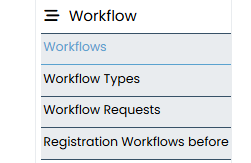
Workflows allow you to create steps at specific points.
You can find workflow under Admin Settings > Workflows
The workflow step is configured as a Form Checker. Administrators select the form that must be validated, for example the Registration Form, and may also specify a field name, an operator such as “equals” or “contains”, and an expected value. A failure message is defined so that users are clearly informed when validation has not been met. The step can be restricted to certain user roles if required, and it is placed in the correct order within the workflow sequence.
You can also use the Form Checker workflow in a Workflow Type. A Workflow Type is a pre-set mini set of ordered workflows you can apply to a subscription as a way to pre-validate users for new subscriptions and / or for renewals.
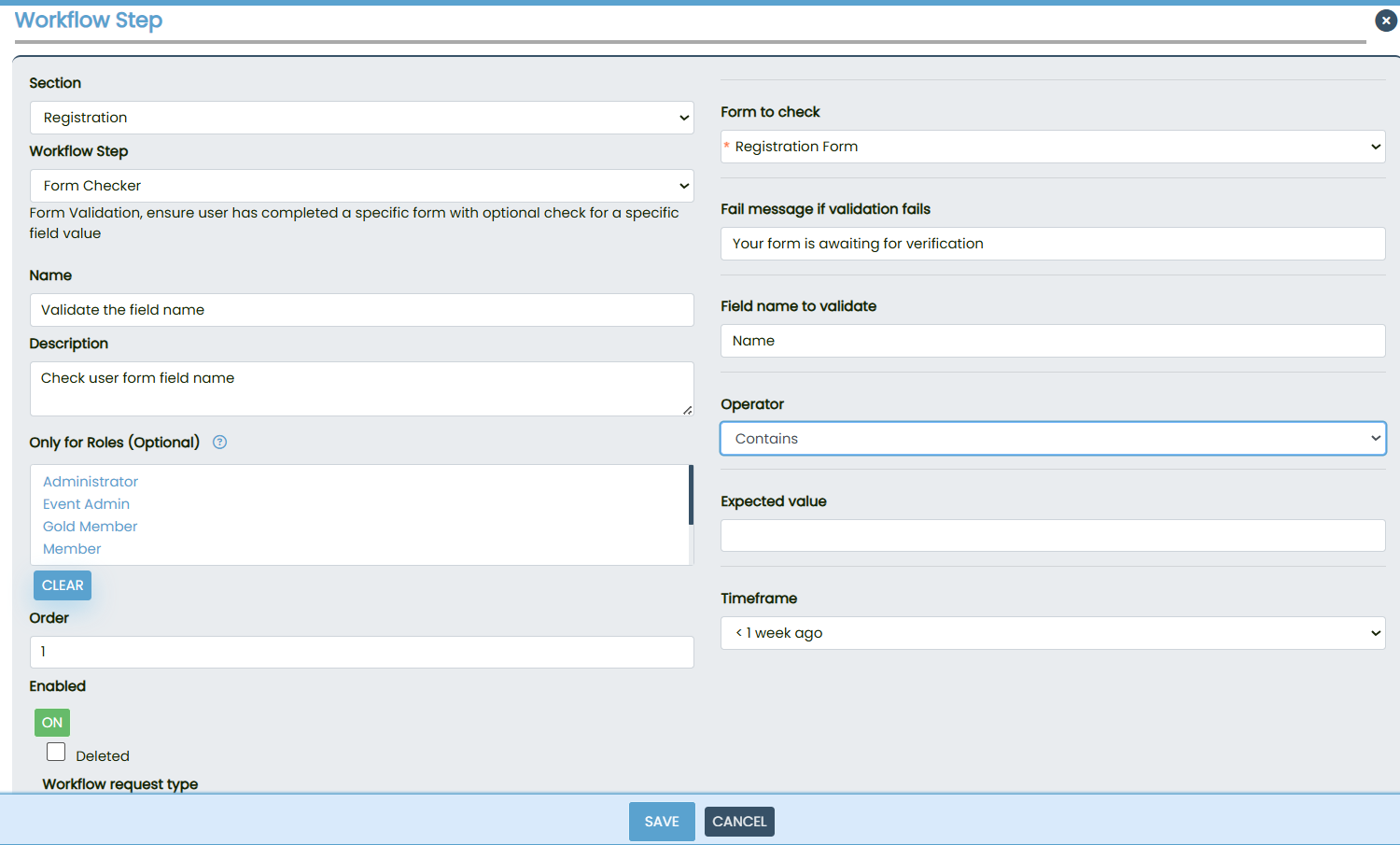
When a user attempts to progress, the workflow first checks whether the specified form has been completed. If field validation has been configured, the workflow then checks whether the nominated field meets the operator and expected value conditions. If the form and field values meet the requirements, the workflow continues automatically. If the conditions are not met, the workflow halts and displays the failure message to the user.
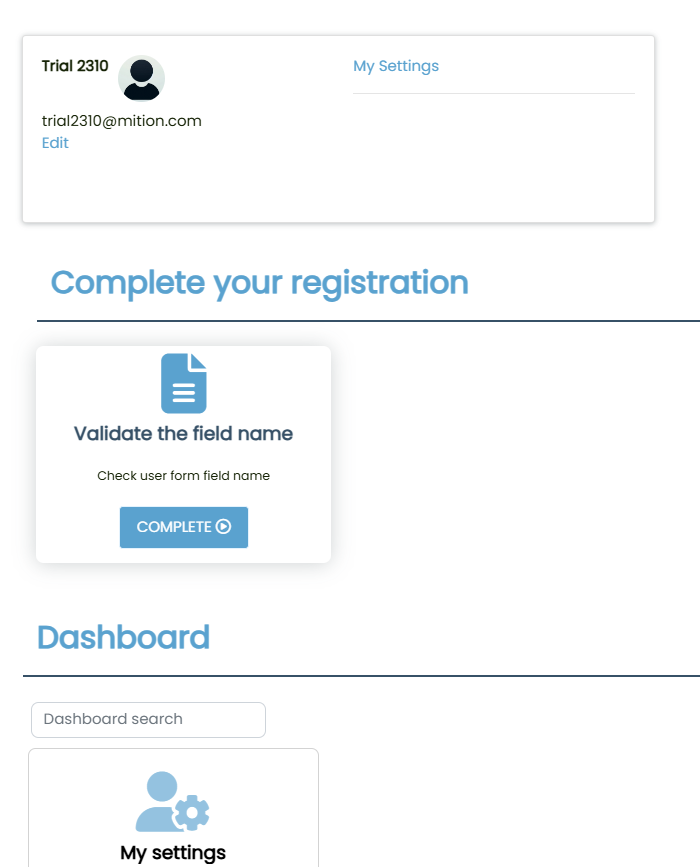
The user is prompted to complete or correct the form. Once the form is updated and saved, the workflow automatically re‑checks the data and resumes without creating duplicate workflow entries.
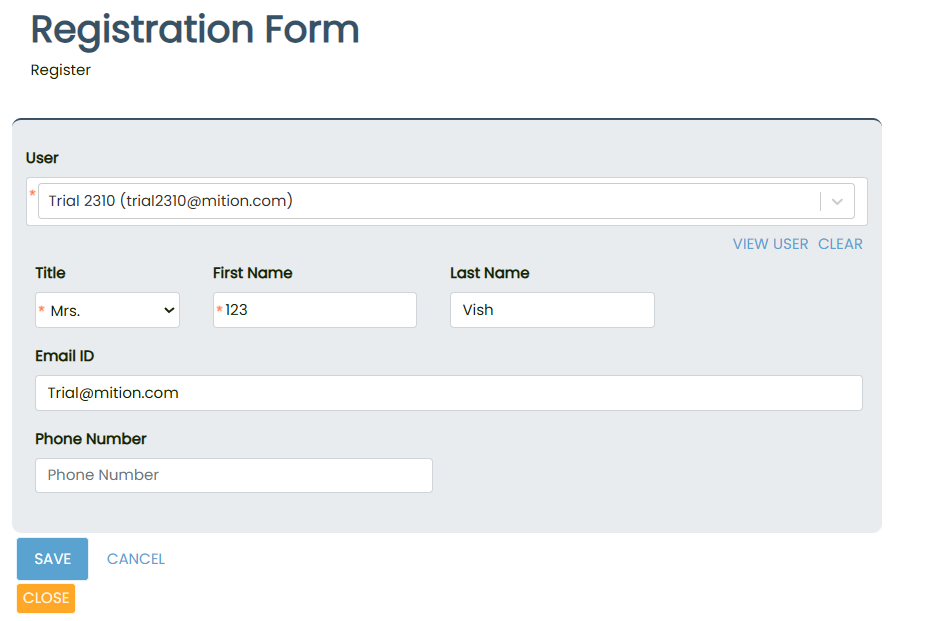
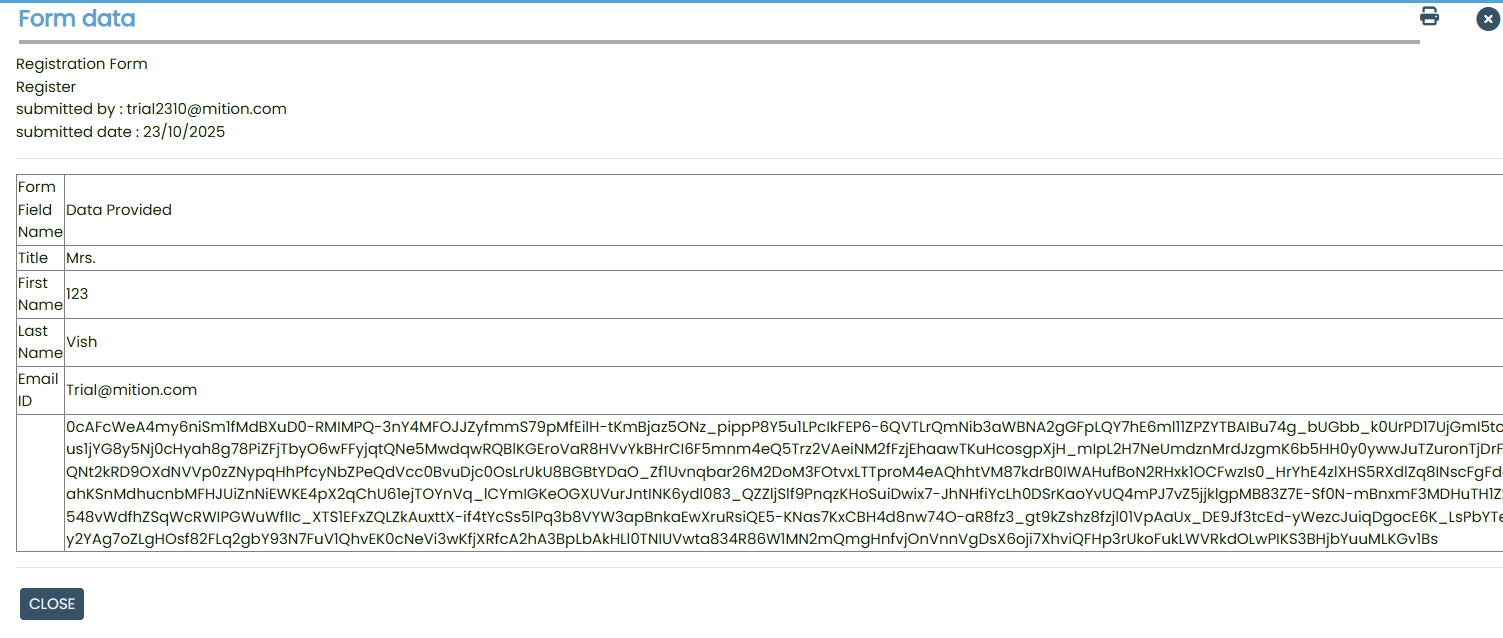
All forms completed by users are saved in the system. This ensures that even if validation fails, the data entered is retained and can be audited or corrected as required.
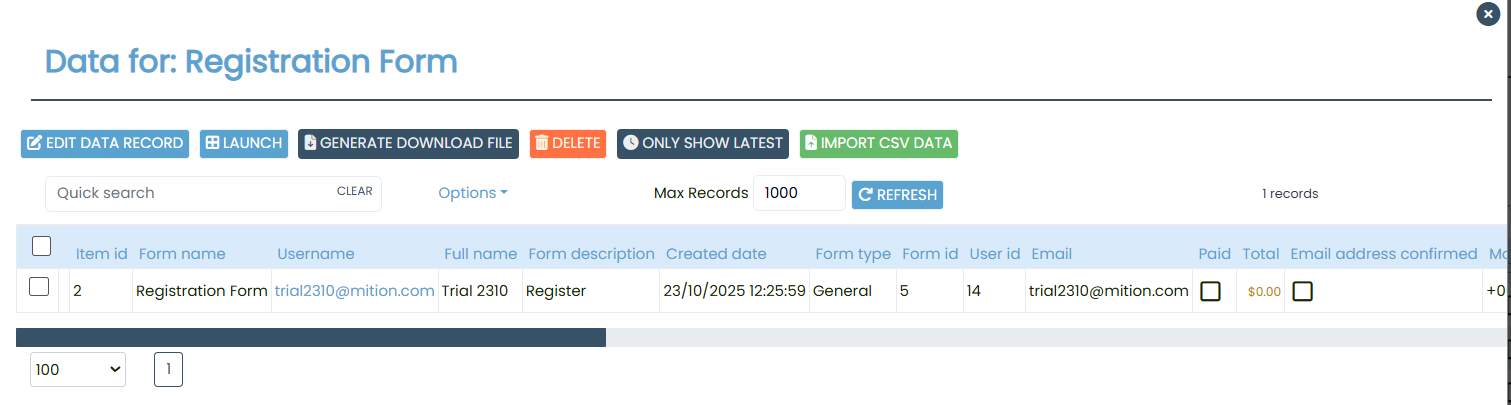
Administrators can later review these submissions by navigating to Form > Select the form > View Data.
The Form Checker Workflow provides a reliable method of enforcing form completion and basic field validation before allowing users to progress. It ensures compliance with required steps and reduces the risk of incomplete submissions. All form data is retained and can be reviewed by administrators at any time, which provides transparency and accountability.
This webpage was built with Mition