Workflows- User Webhook Generic
Knowledge Base | Workflows | User Webhook Generic
The User Workflow Generic WebHook workflow allows Mition to send user data to an external endpoint whenever a user/member workflow is triggered.
This is useful for pushing updated user information into third-party systems such as CRMs, automation tools, reporting systems, middleware, or internal APIs.
Purpose
This workflow posts user data to a configured endpoint using either JSON or XML format.
Typical use cases include:
- Sending updated member/user details to an external system
- Triggering automation outside Mition
- Notifying another platform when a user changes
- Sending data to middleware such as Zapier-style tools
- Posting user data to a client-owned API
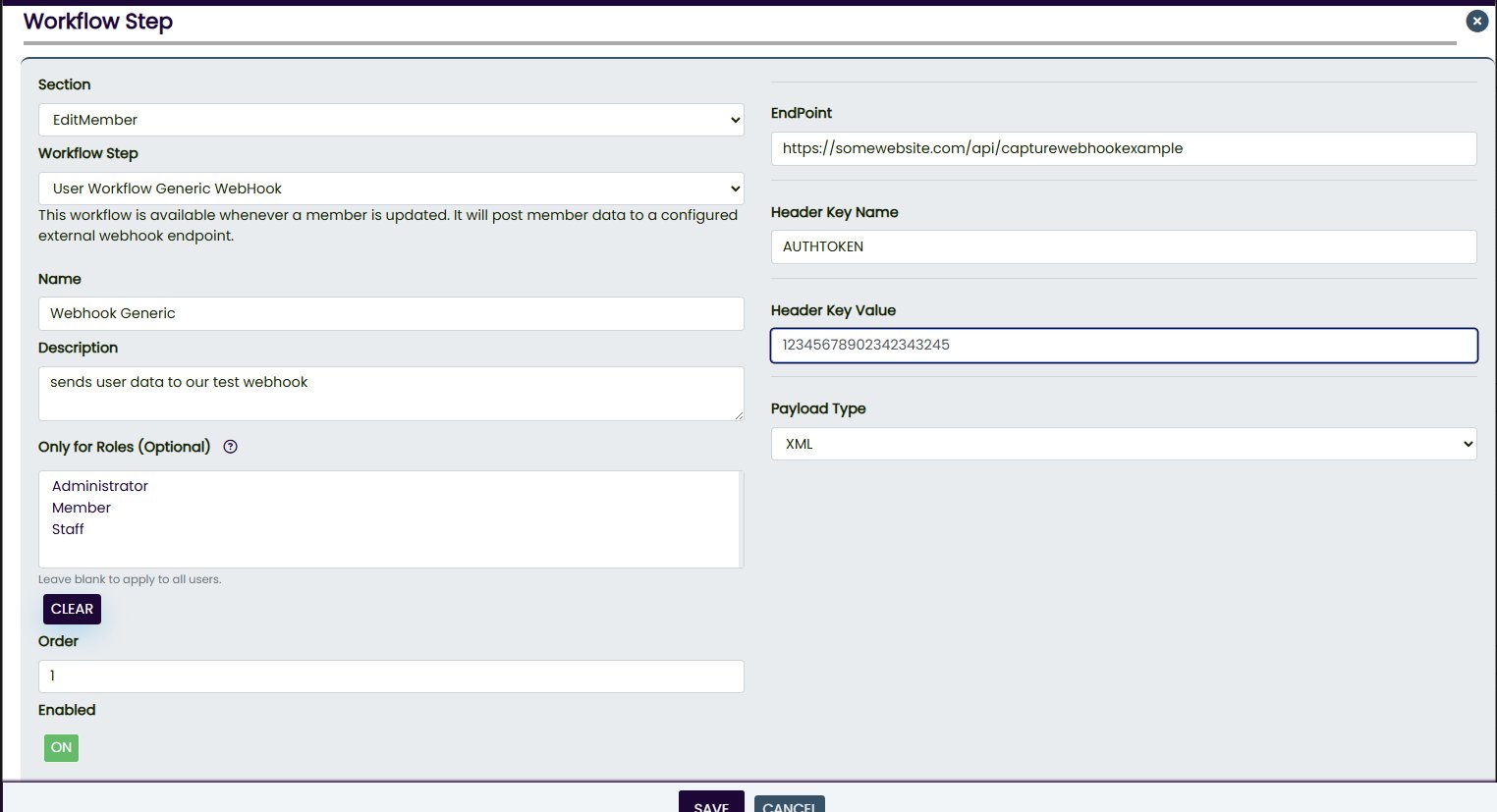
Workflow Name
User Workflow Generic WebHook
Available Section
EditMember
This means the workflow is available when a member/user is updated.
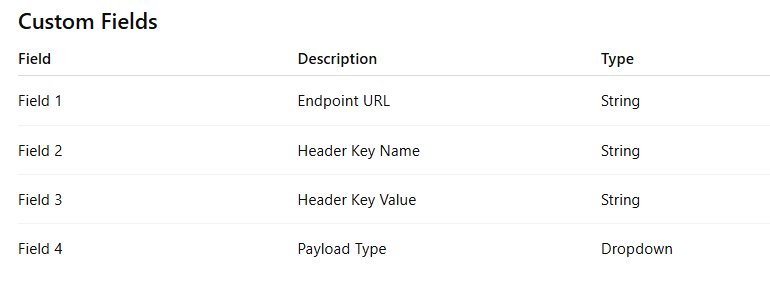
Payload Type Options
Field 4 should use a dropdown with the following values:
JSON,XMLJSON is recommended as the default option.
Endpoint Rules
The endpoint must be either:
Local Mition endpoint
/api/example/webhookLocal endpoints must start with /.
External secure endpoint
https://example.com/webhookExternal endpoints must use full https://.
Non-secure http:// endpoints are not supported.
Optional Header
The workflow supports one optional custom header. If no header is required, leave Field 2 and Field 3 blank.
Behaviour
When triggered, the workflow:
- Loads the user shadow record.
- Validates the endpoint.
- Builds the payload as JSON or XML.
- Adds the optional header if configured.
- Posts the payload to the endpoint.
- Logs success or failure.
Notes
- JSON should be used unless the receiving system specifically requires XML.
- XML values are escaped to avoid invalid XML.
- Local endpoints are converted into full local URLs automatically.
- Invalid or empty endpoints are skipped and logged.
- Failed webhook calls are logged but do not stop the main workflow.
Recommended Use
Use this workflow when a client needs user/member changes sent to another system without requiring a dedicated integration.
This webpage was built with Mition