Discussion
The discussion Web Component facilitates user interaction by allowing your website visitors / members to post comments, ask questions, or share opinions. It enhances user engagement and builds a sense of community around your content.
Create a webpage dedicated to Staff or Members and place a Discussion Web Component on it. As users find this and ask questions / subscribe it becomes a useful tool to voice questions and find answers to similar questions. We recommend creating a first community discussion page and have your staff subscribe to it, so they can see when someone asks a question.
Make any page into a discussion by adding the 'Discussion' component anywhere on a webpage. This enables users with access to the webpage to discuss and raise any topic.
Members can subscribe to receive notifications both when they are online and offline, ensuring they stay updated ongoing conversations.
You can optionally enable swearing protection, which automatically masks inappropriate words with **** markers, customizable to your needs.
The component also allows users to upload images and documents to share additional information, making it ideal for discussions among peers or board members.
Control access to each discussion by setting page security — for example, creating Staff Discussions, Board Discussions, or Member Discussions. Each discussion supports threaded comments to organise topics clearly.
Users have the ability to flag inappropriate behaviour in comments. Flagged content is hidden until reviewed by staff or moderators, who can then choose to override or delete the comment. This, combined with swearing protection, helps create a safe and respectful environment for your members and users.
Key Features
- Comment Threads: Allows users to post comments and reply to others, creating threaded discussions.
- Image Uploads: Includes ability for users to upload an image - Administrators can choose to turn this on or off
- Responsive Design: Ensures discussions are accessible and well-structured across all device sizes.
- Swearing Protection: Administrators can turn swearing protection on or off
- Notification / Push Notification Integration: Works great with native iOS App or Android app to notify users if they are offline. If users are online they get a notification alert (a bell icon that appears to let them know there is a new thread).
Examples
- Community pages: Your members and staff can discuss regarding relevant topics
- Blog Posts: Allow readers to comment and discuss the topic covered in the article.
- Product Pages: Enable customers to ask questions or leave reviews about a product.
- Forums: Create a space for users to start conversations and exchange ideas on various topics.
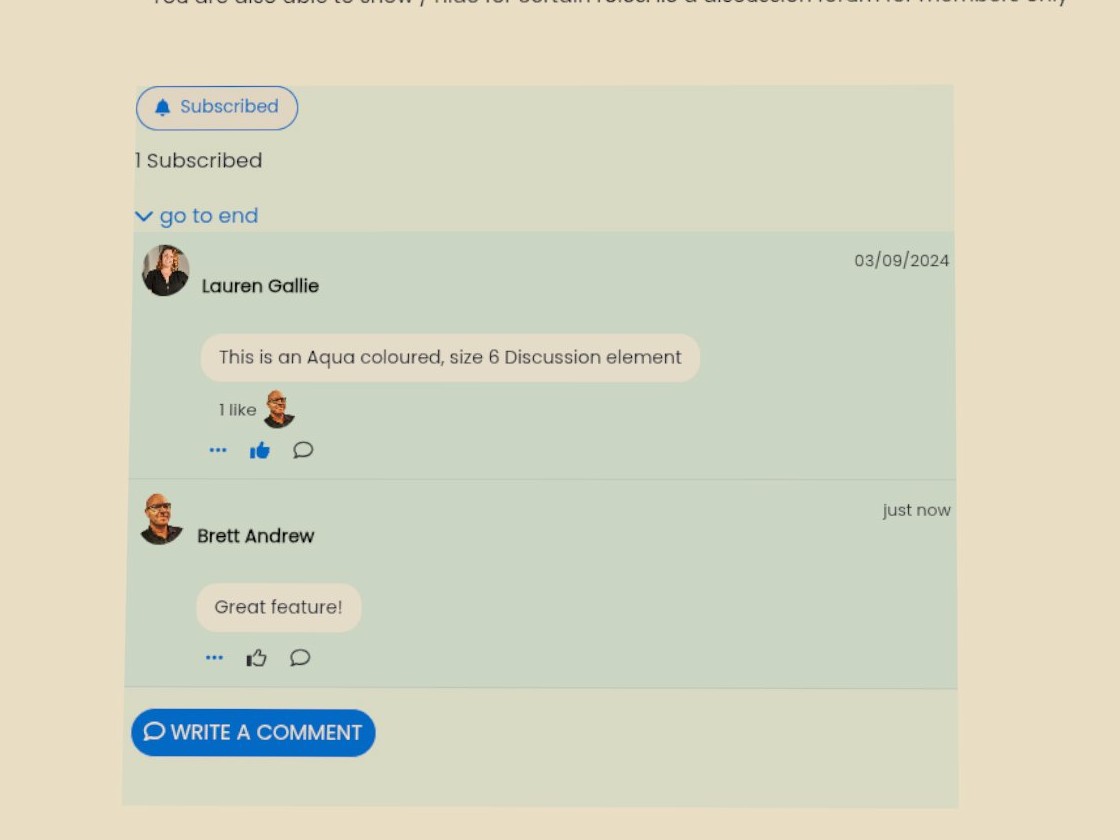
Variations
Different colour styles and sizes can be utilised here.
You are also able to show / hide for certain roles. I.e a discussion forum for members only
Discussion vs Social Thread
While both components support member engagement, they have different purposes.
Discussion creates a dedicated discussion area on a specific webpage where users can start topics, reply to comments, upload files, and subscribe to notifications. Each discussion is linked to that page and follows its security settings.
Social Thread displays discussions from one or multiple Discussion components in a single social media-style feed. It helps members discover conversations happening across your website and only displays discussions the viewer has permission to access.
In short:
- Discussion = Where conversations happen.
- Social Thread = Where conversations are discovered.
Display Code
Back to all components. A display code element allows you to show snippets of code in a clean, readable format. It’s useful for tutorials, documentation, or technical blogs where you may need to demonstrate code examples directly on the page.
Read MoreThis webpage was built with Mition