Managing event tickets and invoices requires careful attention to user permissions, payment status, and administrative workflows. This documentation outlines the steps for accessing events, handling attendee records, managing paid and unpaid tickets, and ensuring financial records remain accurate and synchronized
- Ticket Status: Tickets are either unpaid or paid. This status determines whether users can delete them.
- User Permissions: Users can delete unpaid tickets. Paid tickets require admin intervention.
- Admin Controls: Staff and administrators can manage tickets and invoices, including deletion and refund processing.
- Finance Integrity: Deleting payments affects invoice records. Refunds should be processed before ticket removal.
For Users:
- Unpaid Tickets:
- Can be deleted directly.
- Associated unpaid invoices are removed if not shared with other tickets.
- Paid Tickets:
- Cannot be deleted.
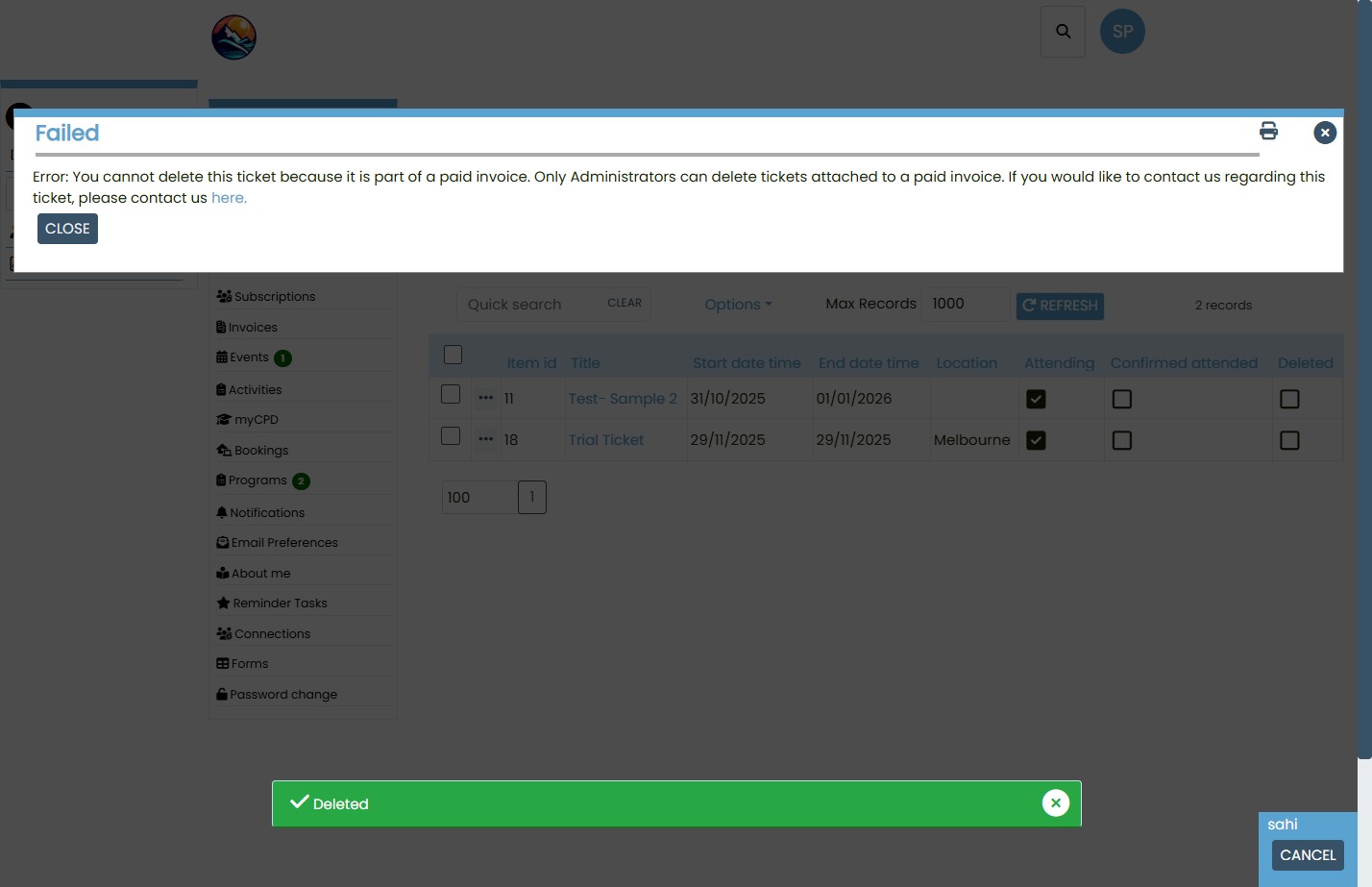
- System displays an error message and prompts the user to contact staff.
For Admins:
- Can delete both unpaid and paid tickets.
- Can view invoice details and payment status.
- Can undelete tickets if needed.
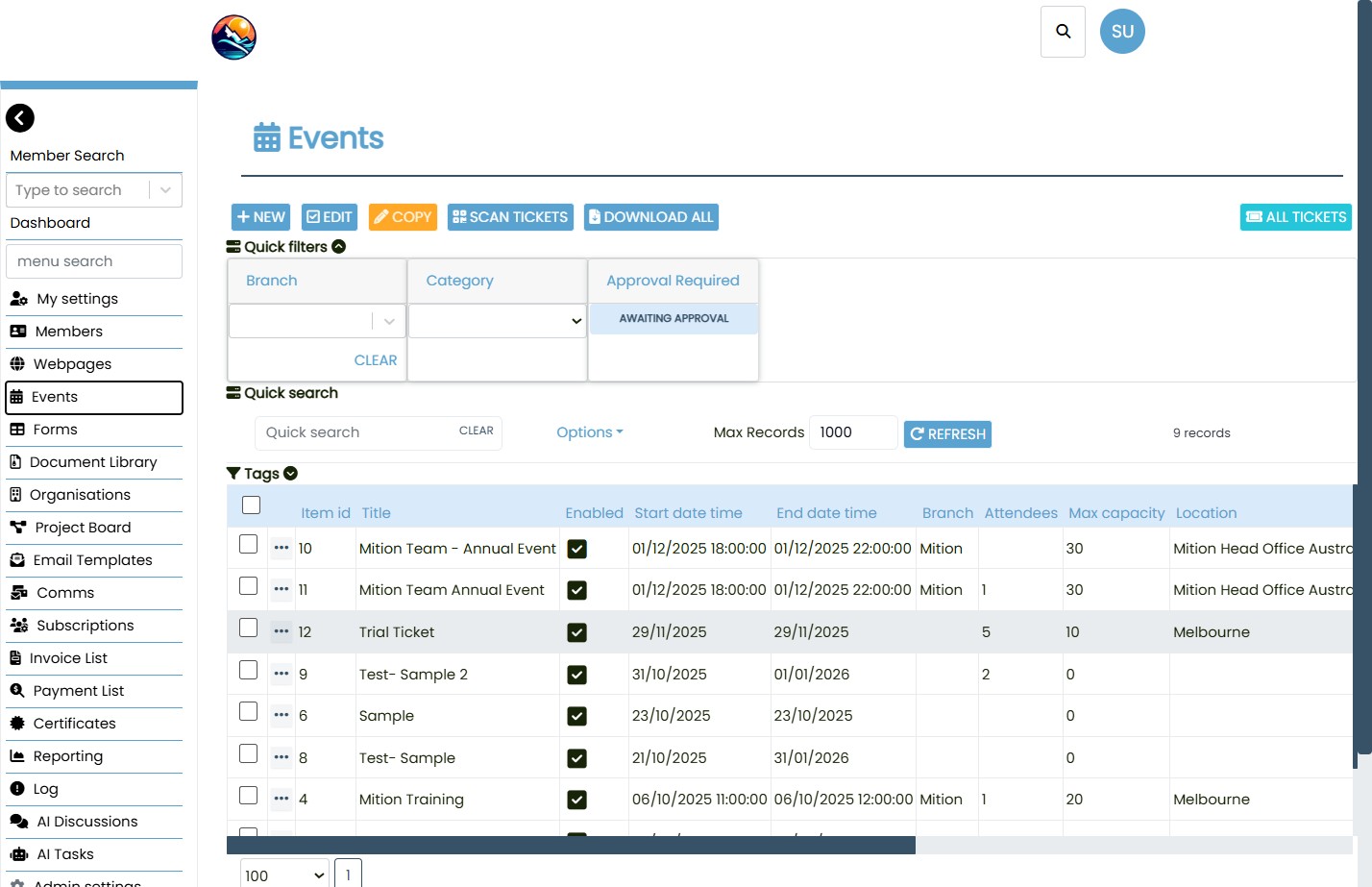
Open events: Go to the Events area in the admin or user dashboard.
Find an event: Use search and filters (branch, category, approval status) to locate the event.
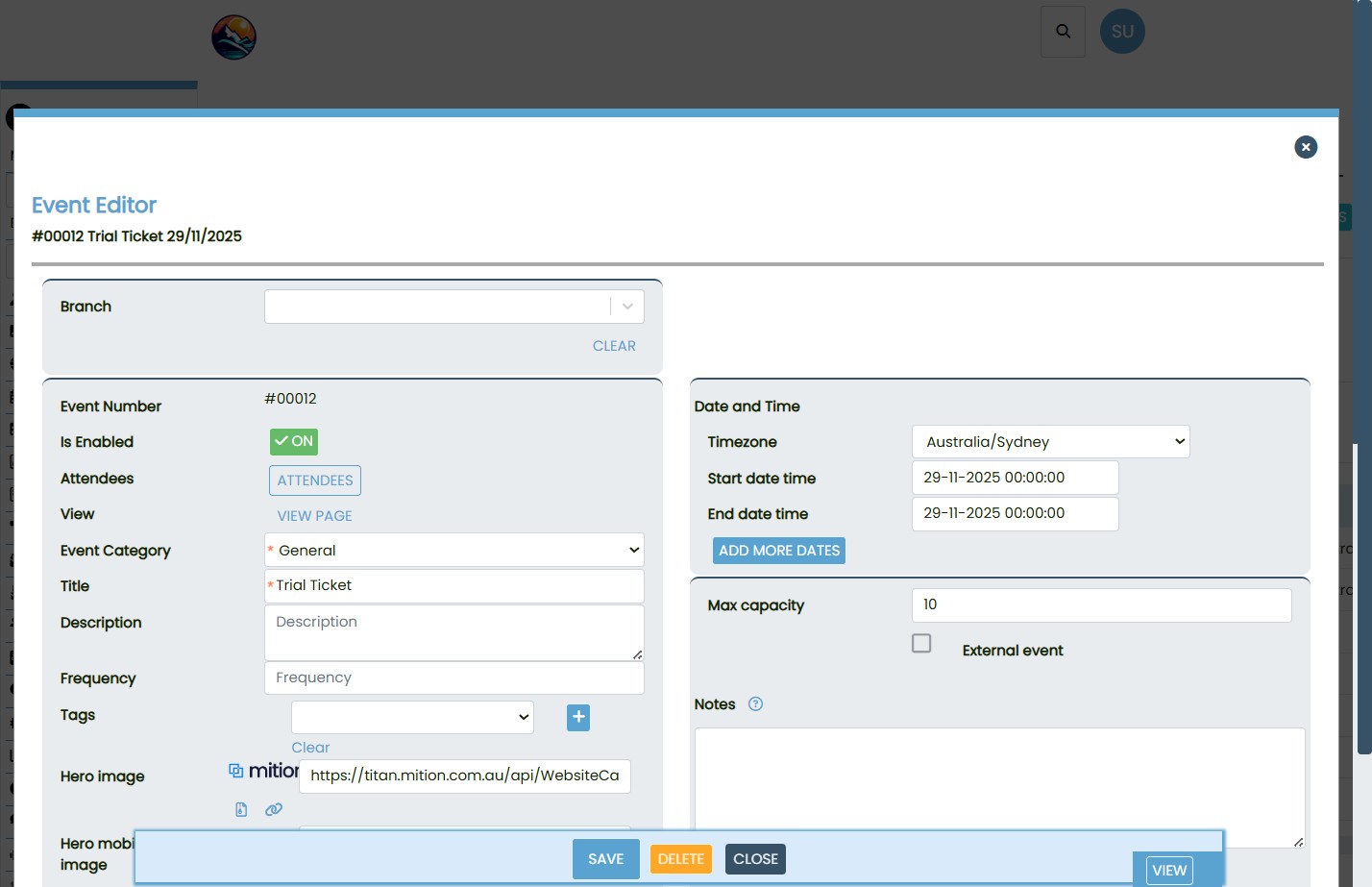
Open event details: Select the event to view its configuration, schedule, capacity, and location.
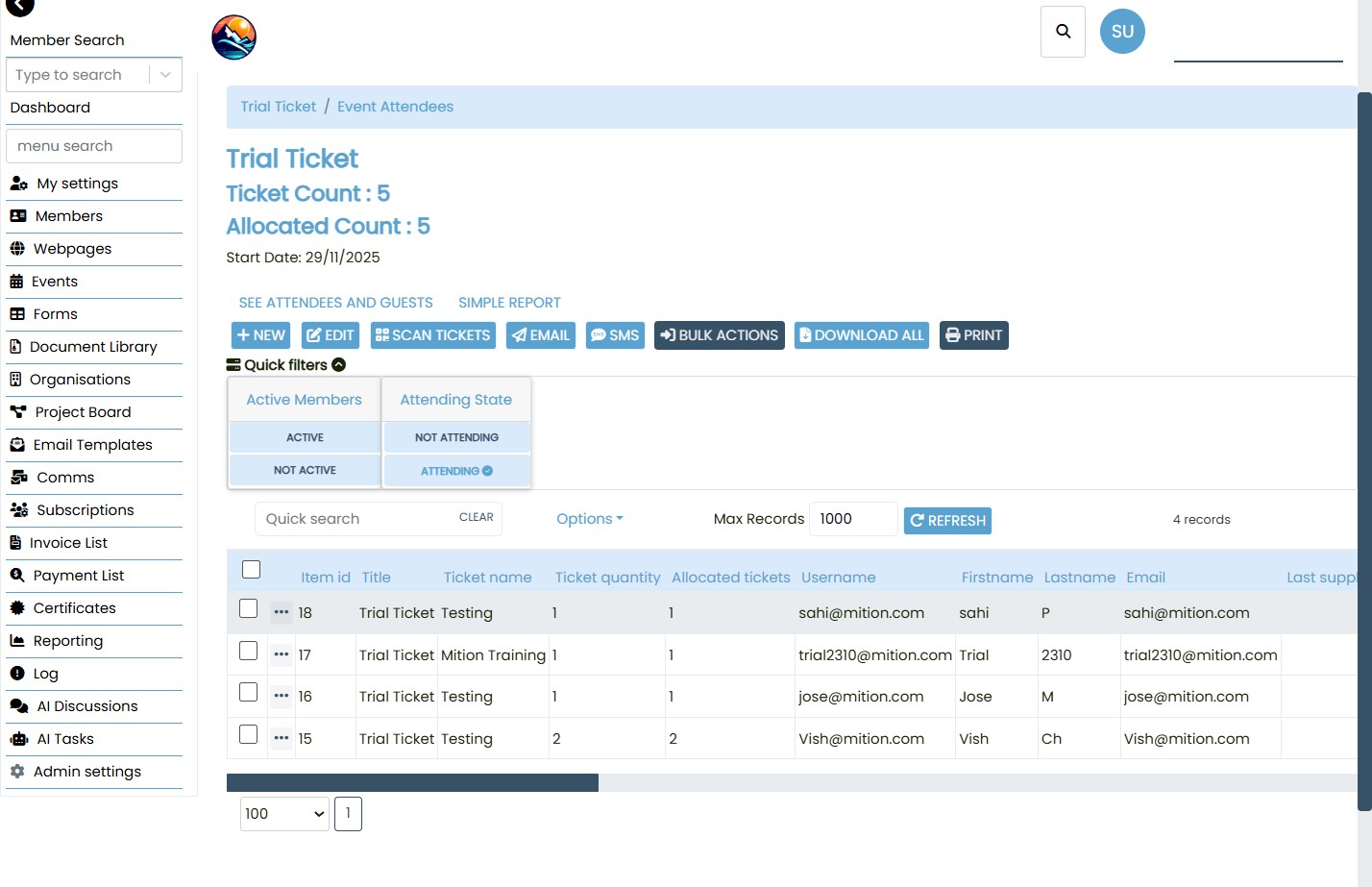
Review attendees: Use the Attendees screen to see ticket holders, quantities, allocations, attendance state, and user contact details.
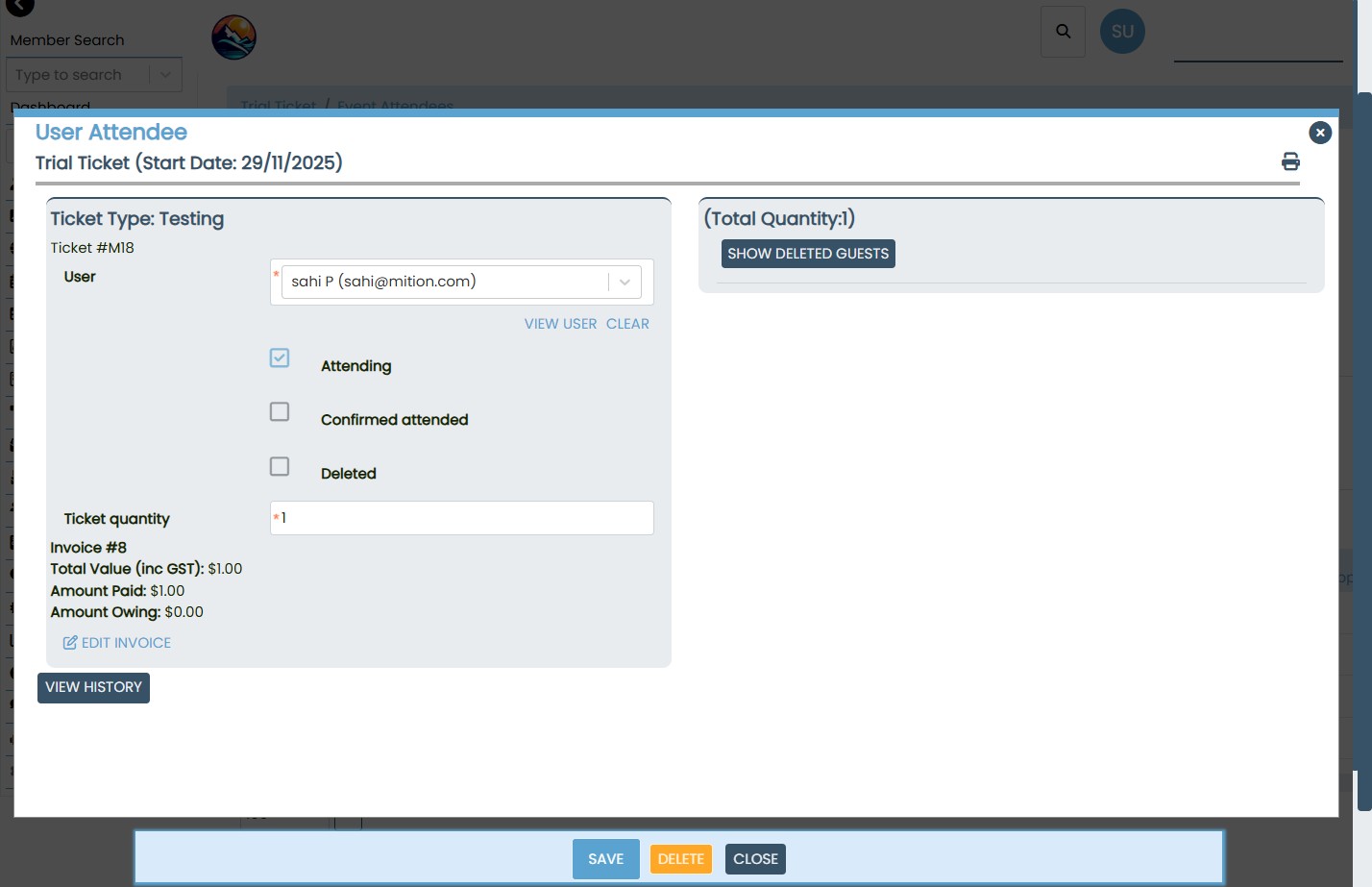
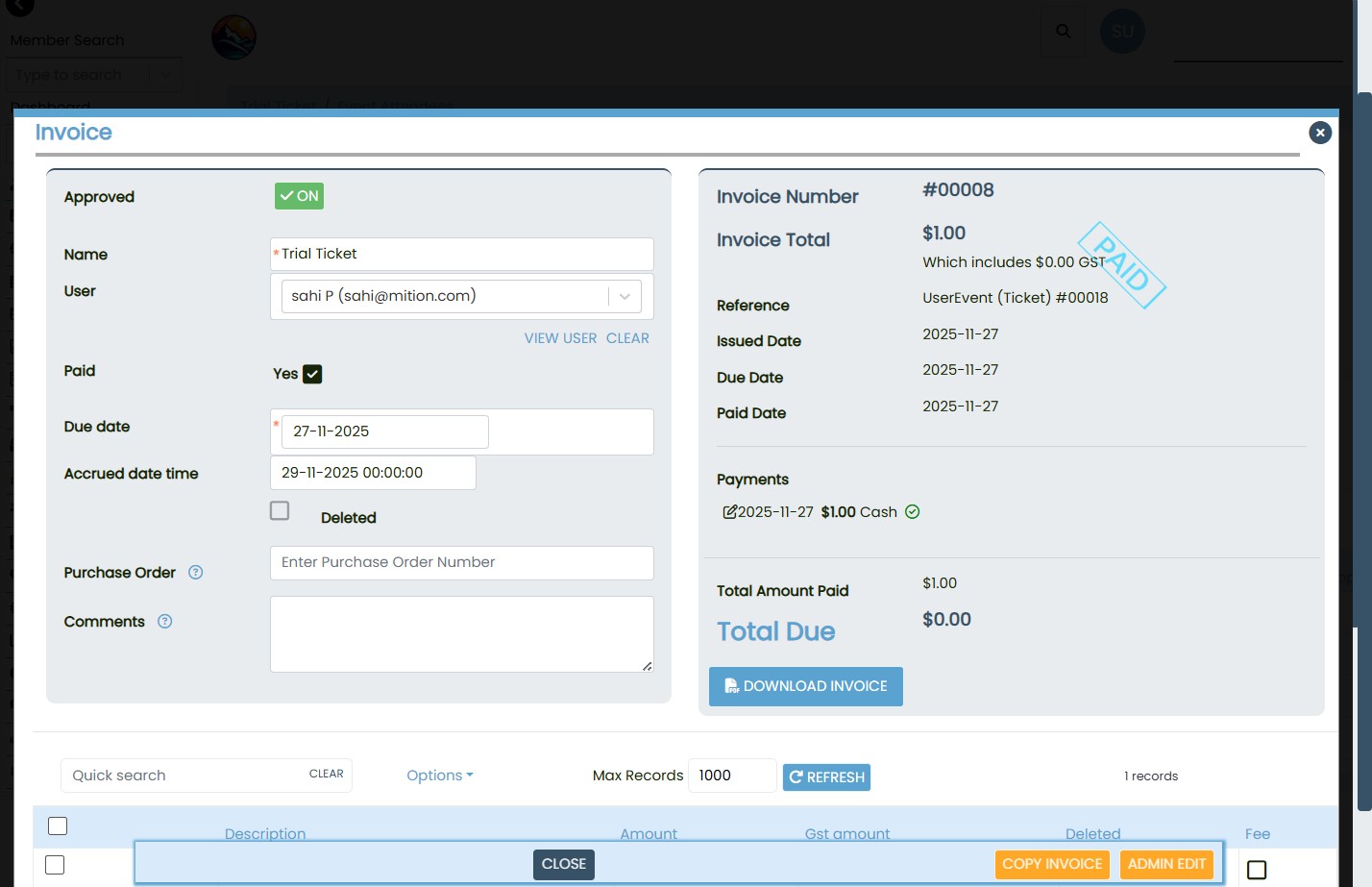
Open the attendee record for the ticket in question.
Check the invoice section:
- If the invoice shows Paid, the ticket cannot be deleted by the user.
- The system will display an error message and block deletion.
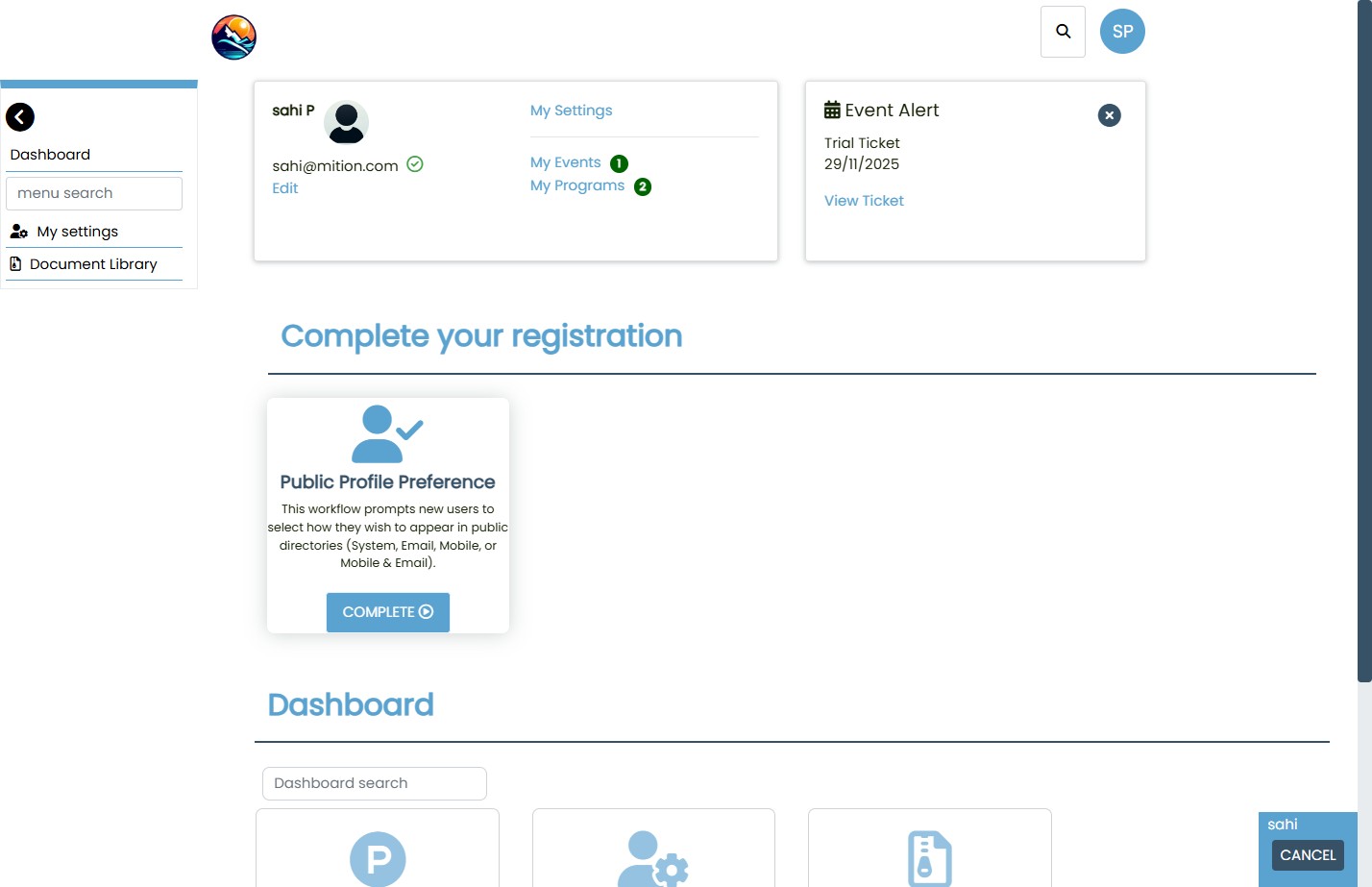
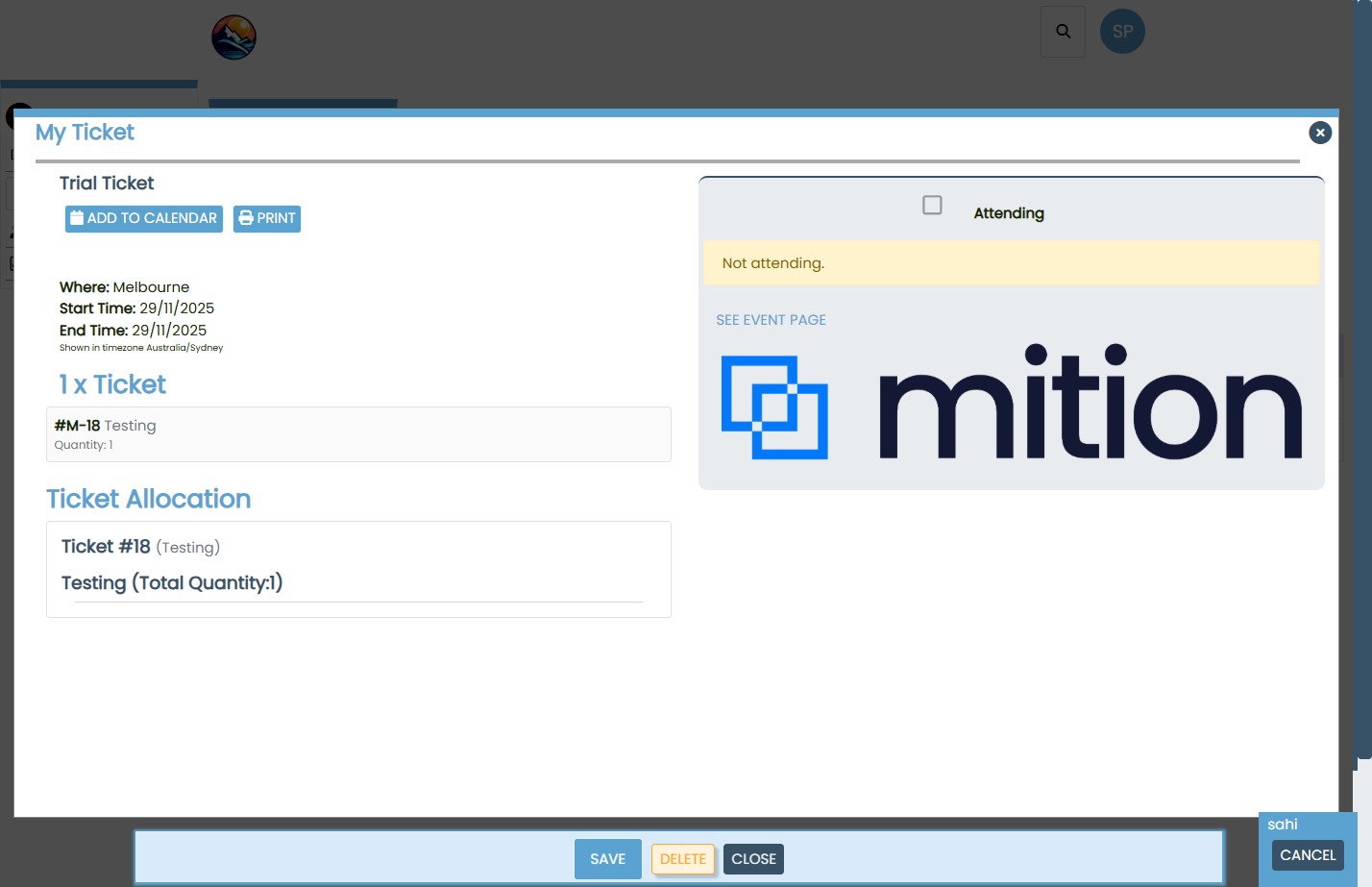
User Attempt to Delete Paid Ticket
- When a user tries to delete a paid ticket:
- A confirmation dialog appears.
- Upon confirmation, the system checks the invoice status.
If paid, an error message is shown:
“You cannot delete this ticket because it is part of a paid invoice. Only Administrators can delete tickets attached to a paid invoice.”
Admin Workflow for Deleting Paid Tickets
Access the Invoice
- Navigate to the Invoice List from the admin dashboard.
- Locate the invoice linked to the ticket using filters or search.
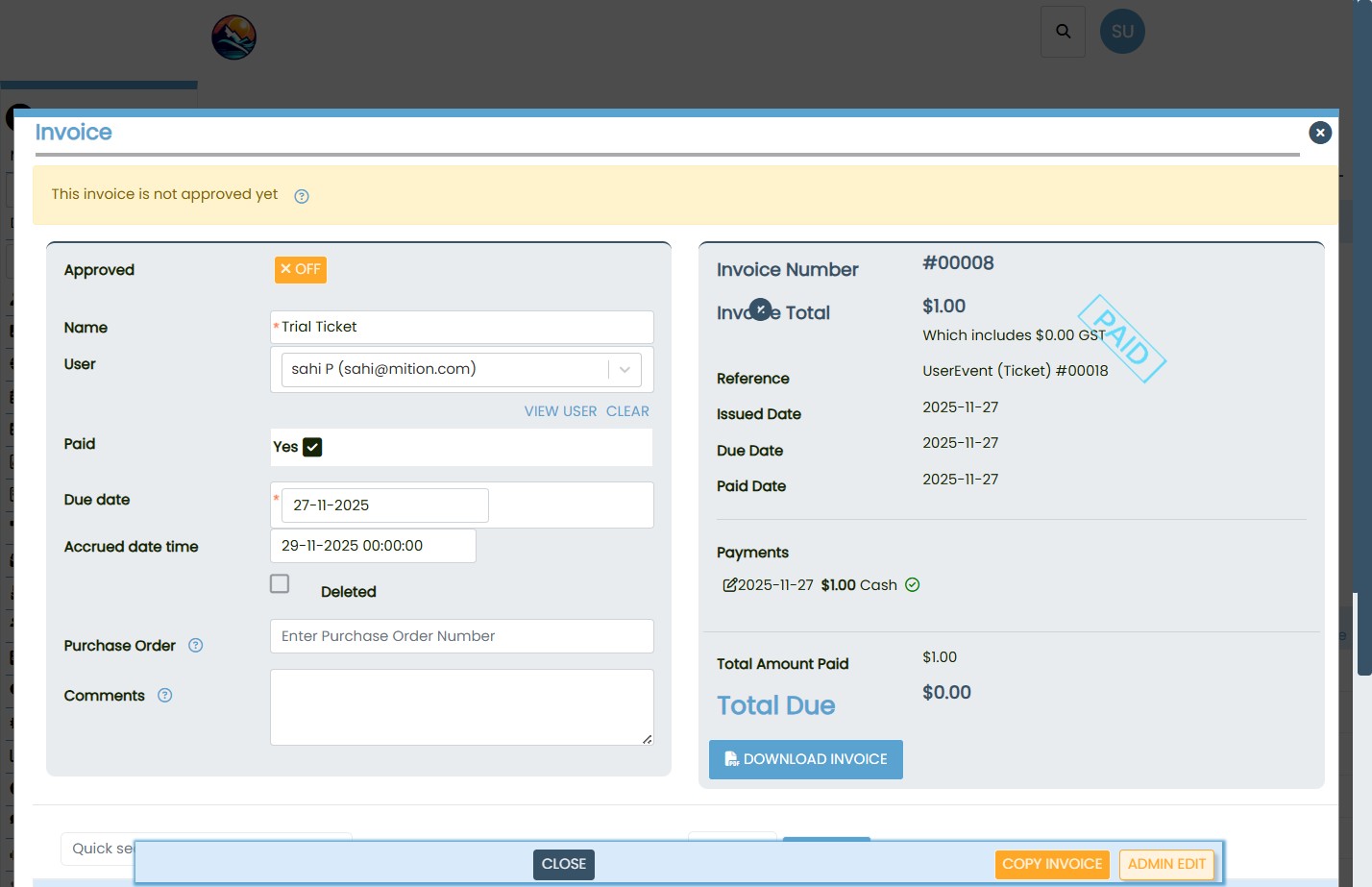
Open and Review Invoice
- Click on the invoice to open its full details.
- Confirm the payment status and ticket reference.
Edit and Delete Payment
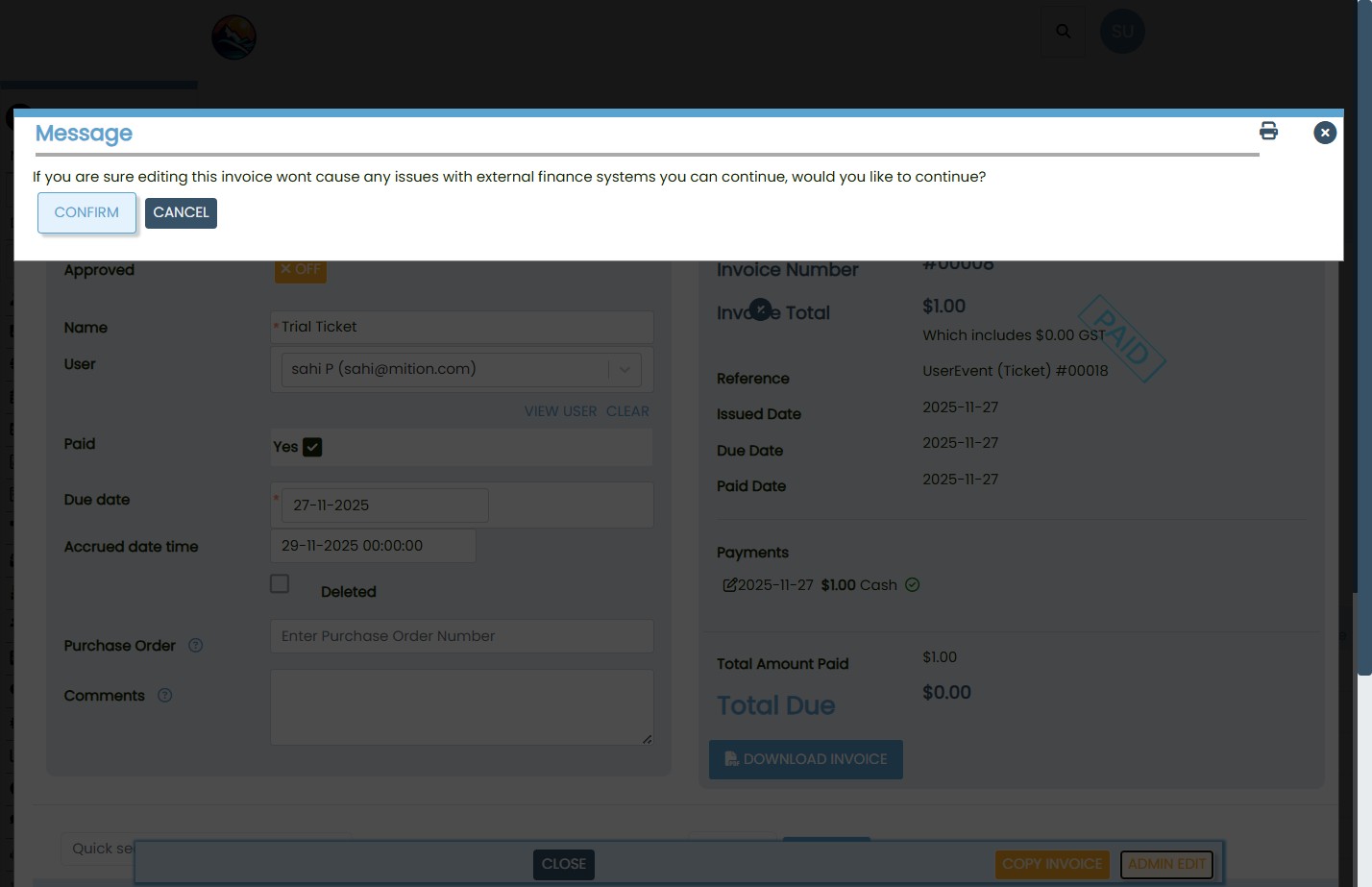
- Click Admin Edit to enter edit mode.
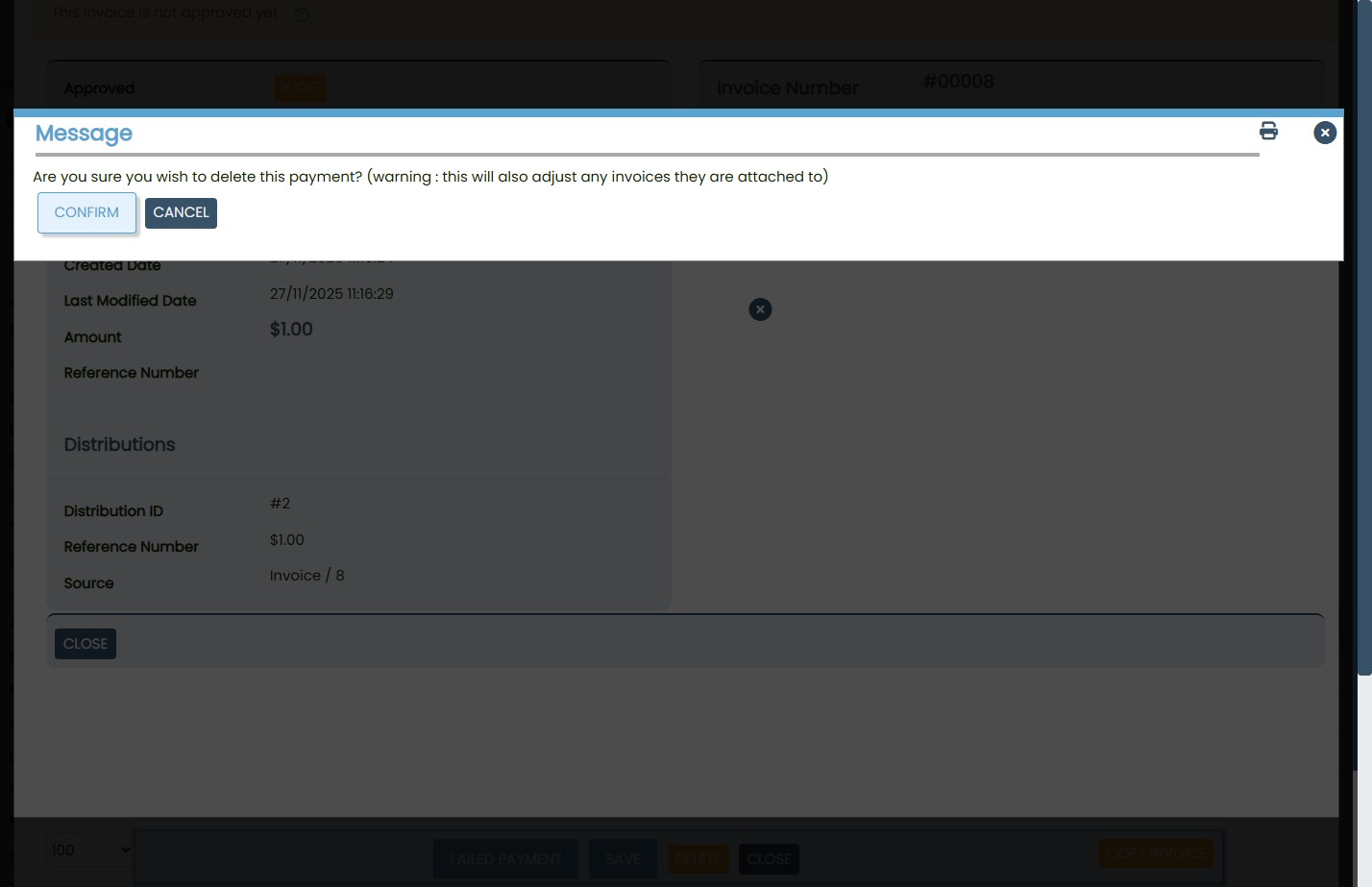
- Select the payment record and click Delete.
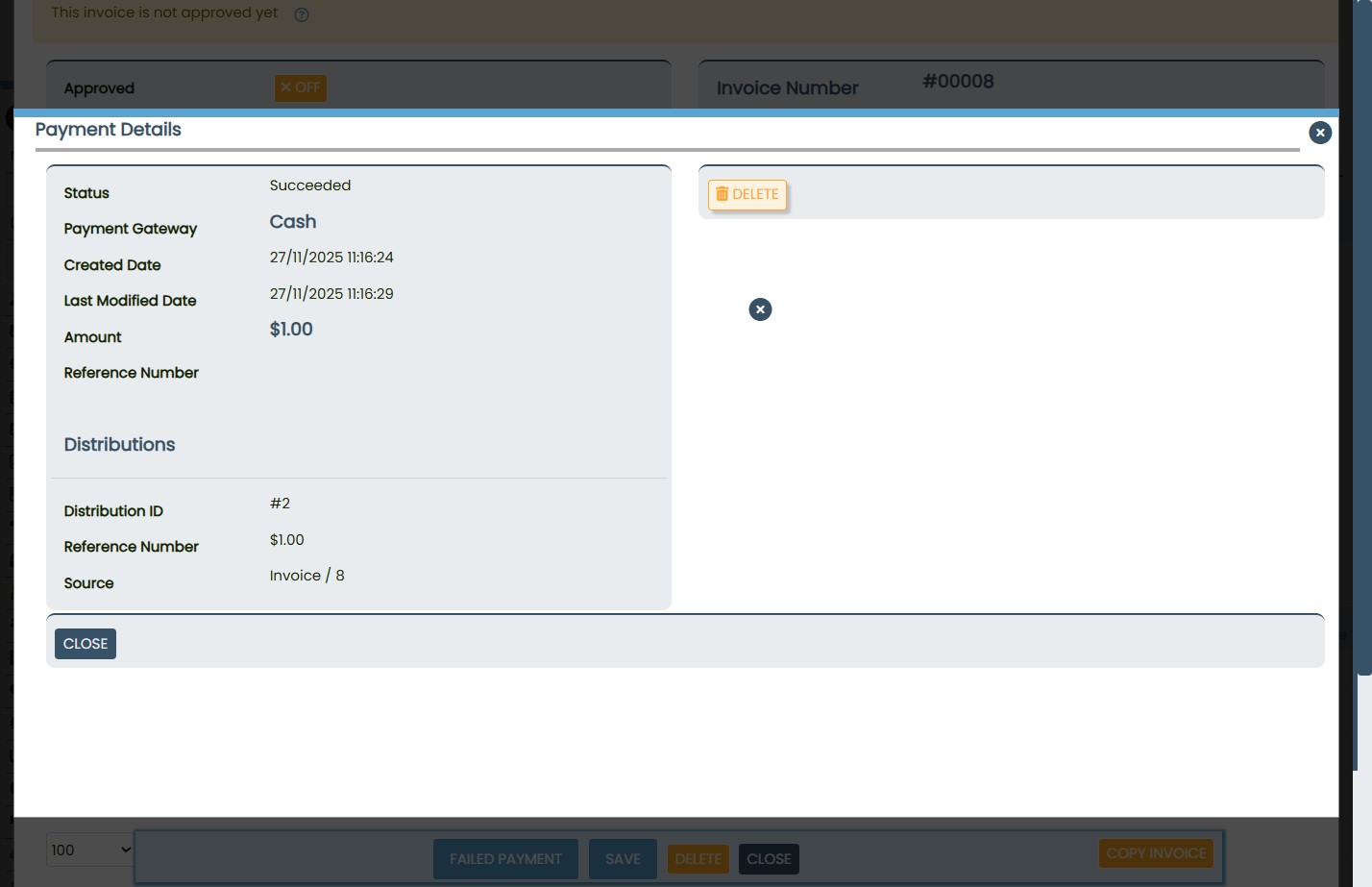
Confirm the deletion in the pop-up dialog: “Are you sure you wish to delete this payment? This will also adjust any invoices they are attached to.”
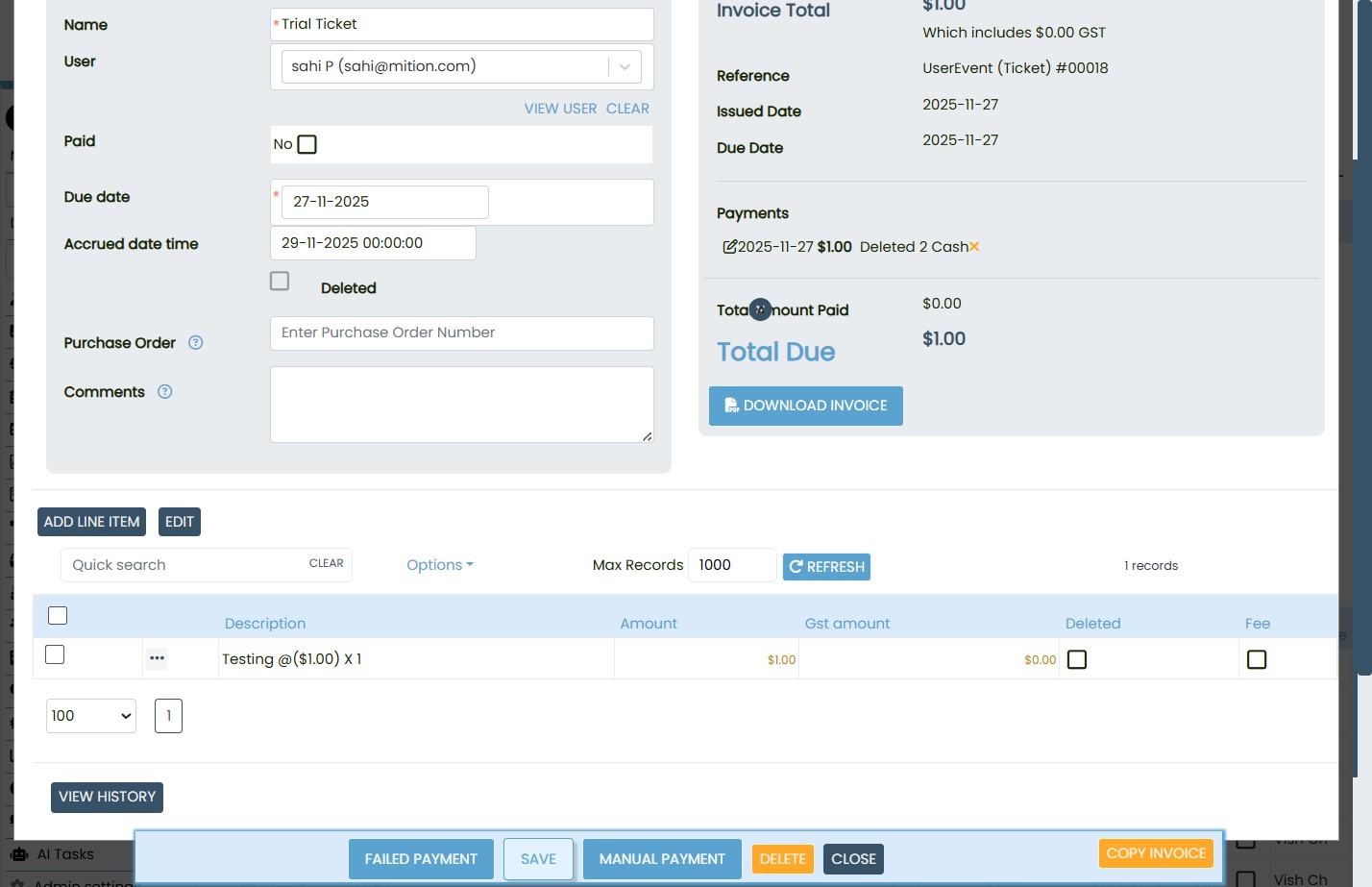
After deletion, ensure:
Amount Paid is updated to $0.00.
Total Due reflects the full invoice amount.
The invoice is no longer marked as paid.
Delete the TicketReturn to the Attendees screen of the event.
Select the ticket and click Delete.
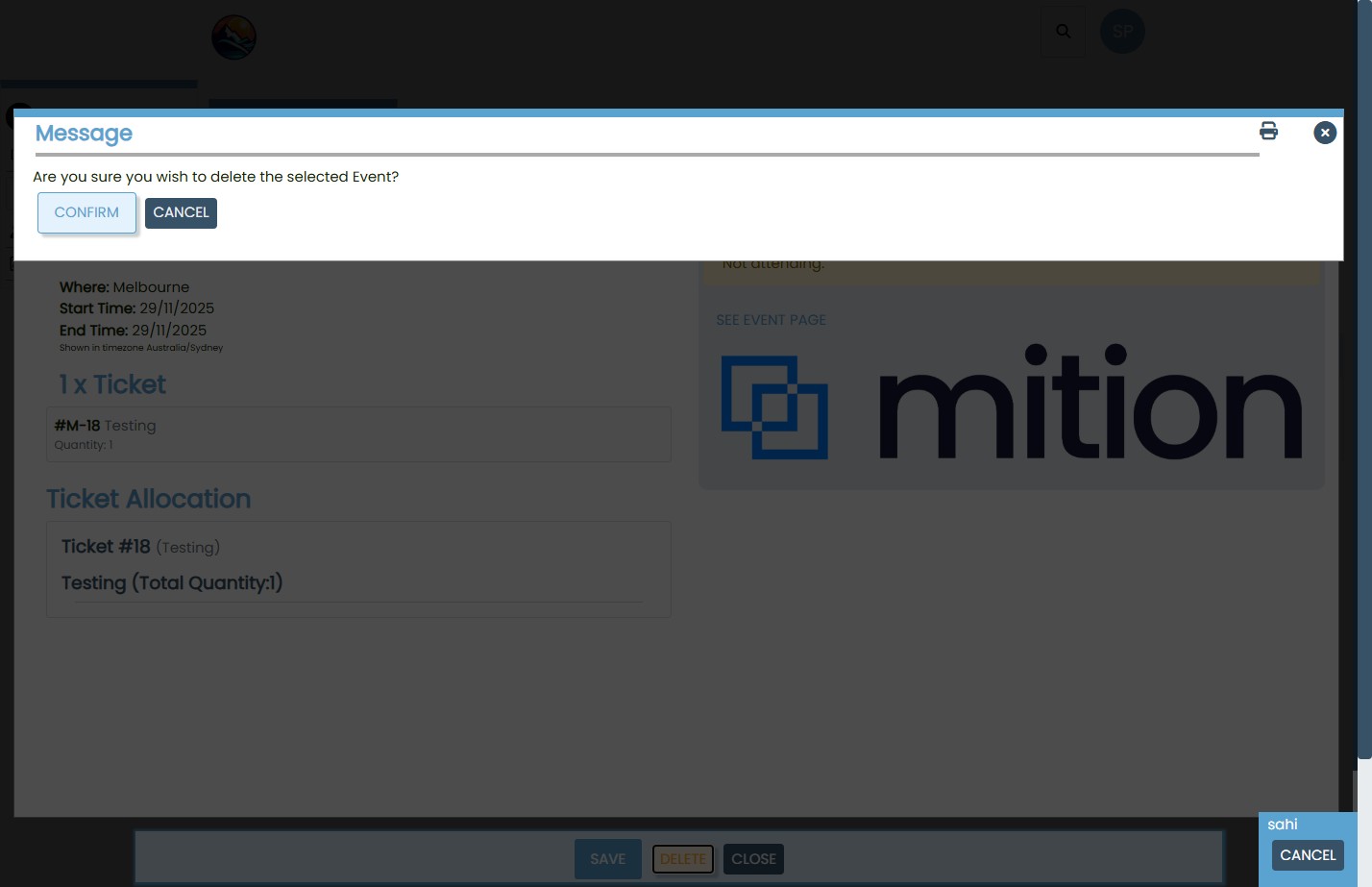
Confirm the deletion in the dialog box: “Are you sure you wish to delete the selected Event?”
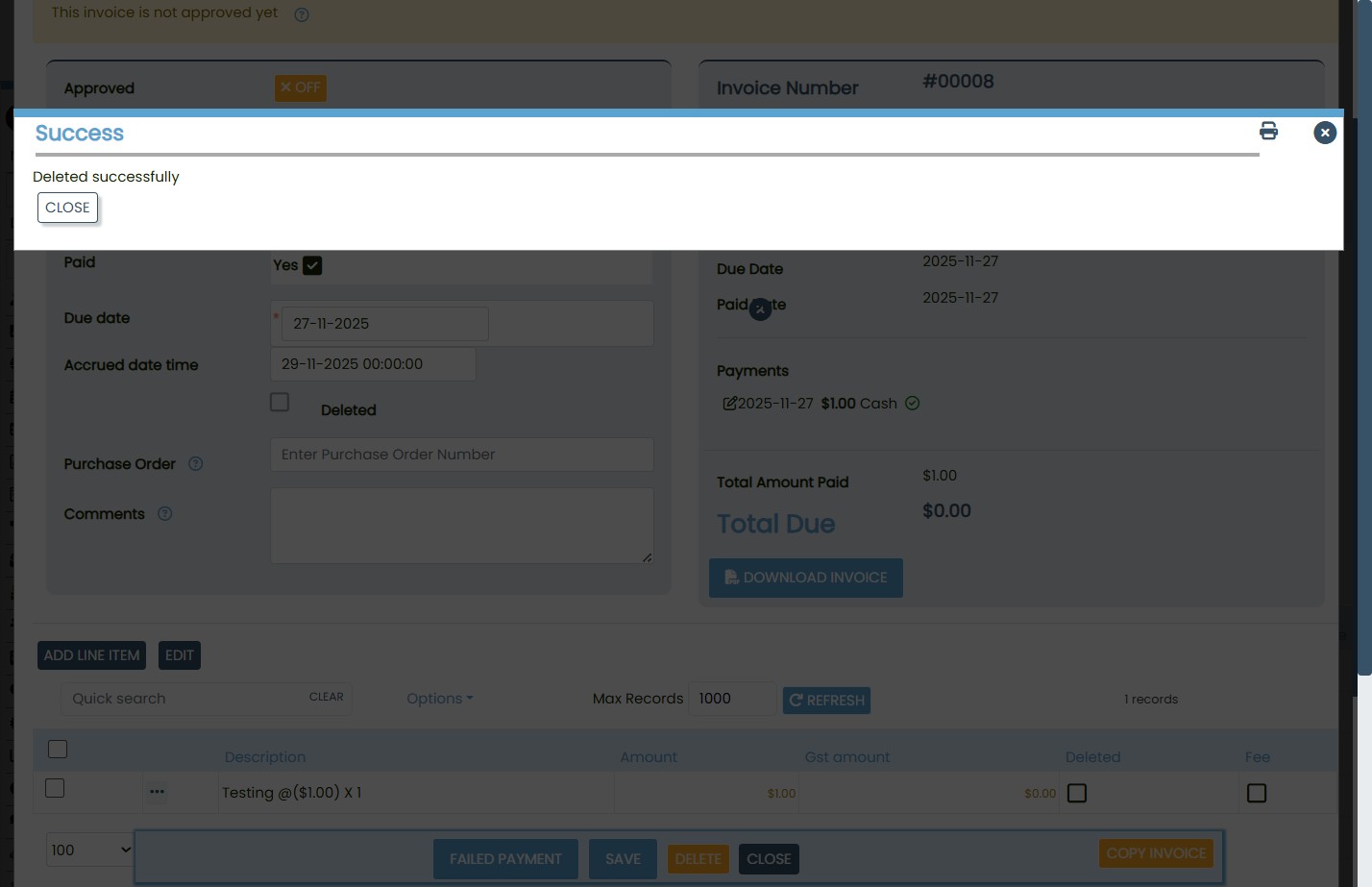
The system will show a success message once the ticket is removed.
User Workflow for Unpaid Ticket Deletion
Access Ticket
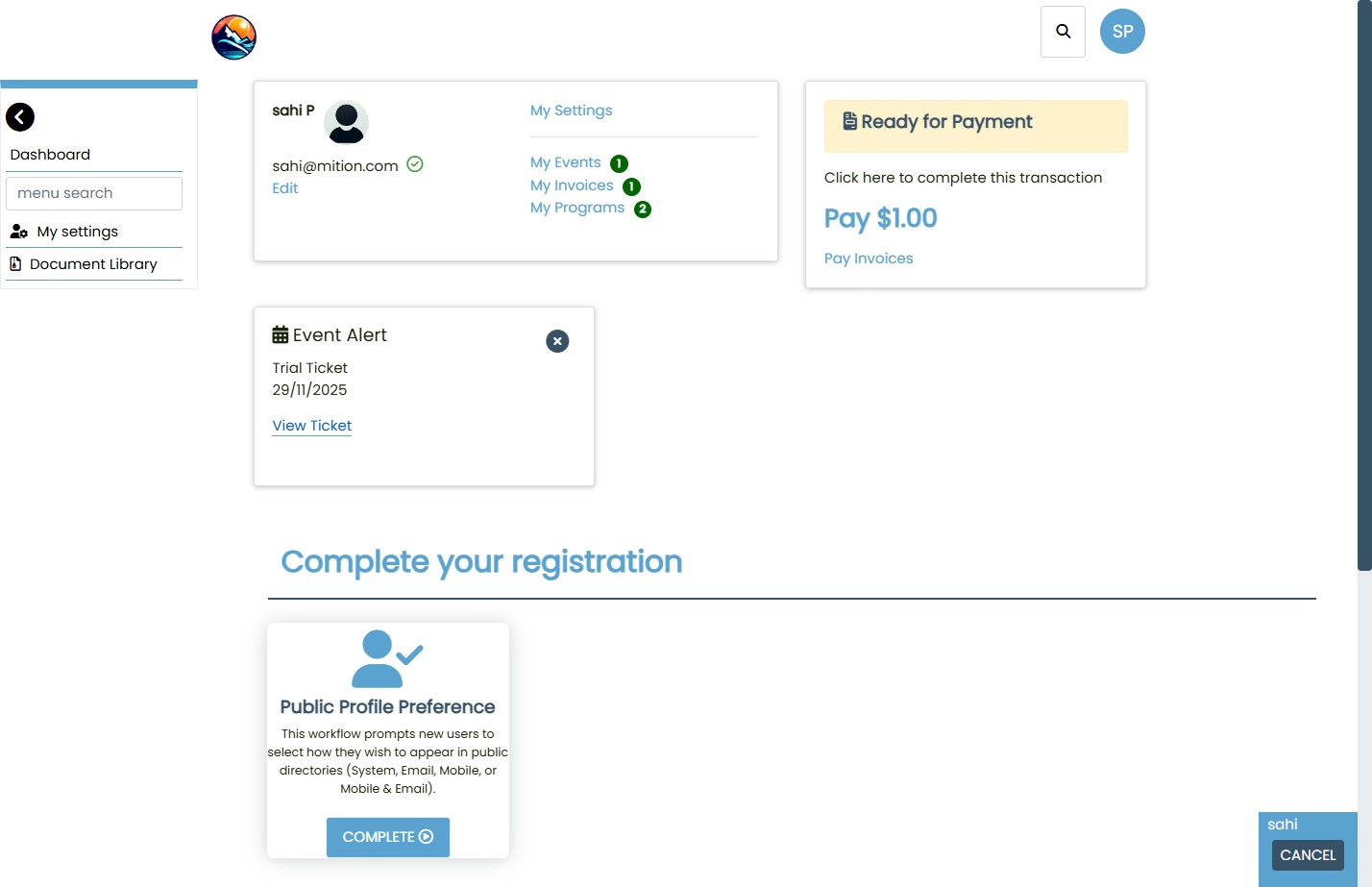
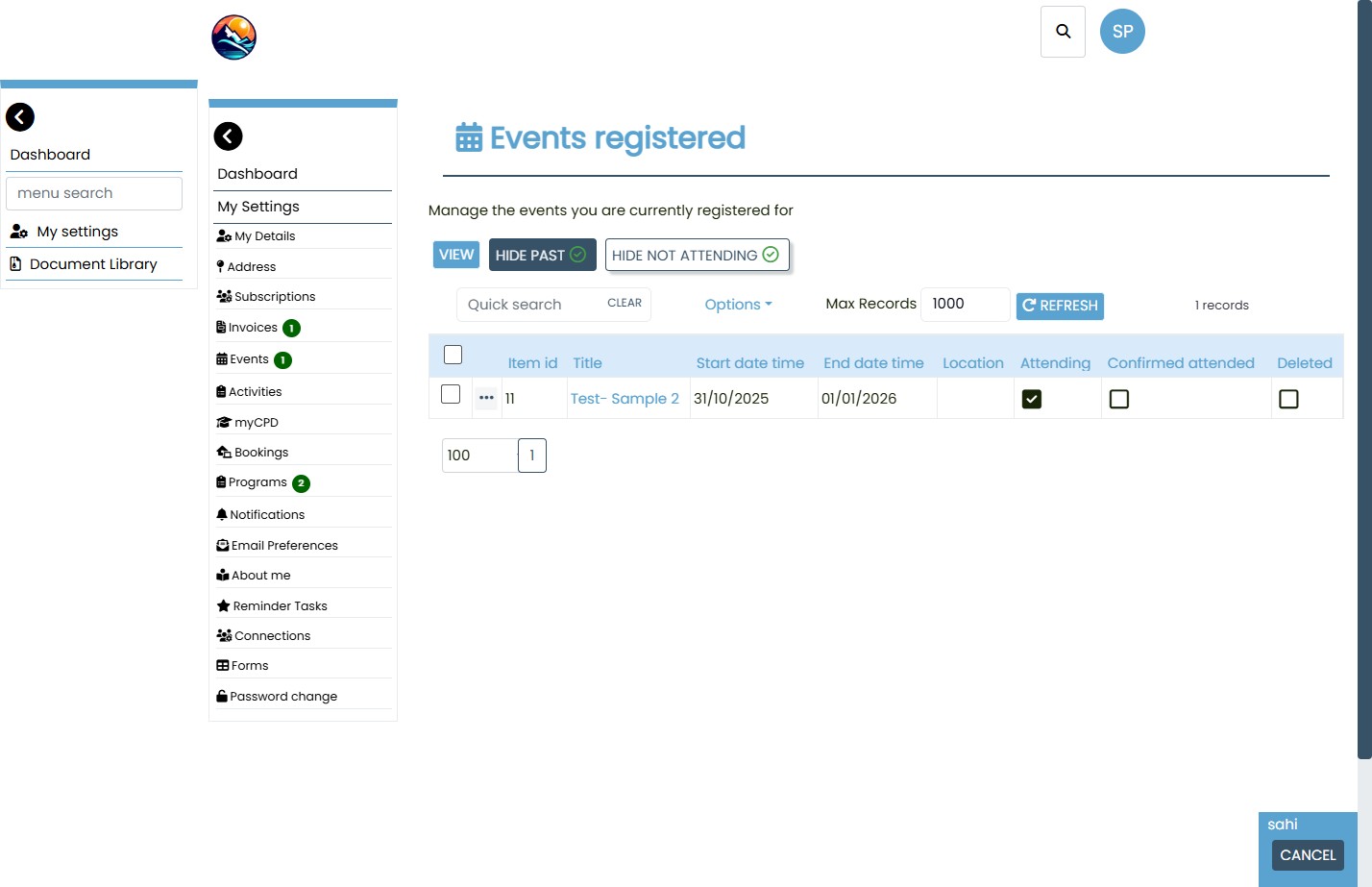
- Log into the user account and go to My Events.
- Select the ticket you wish to delete.
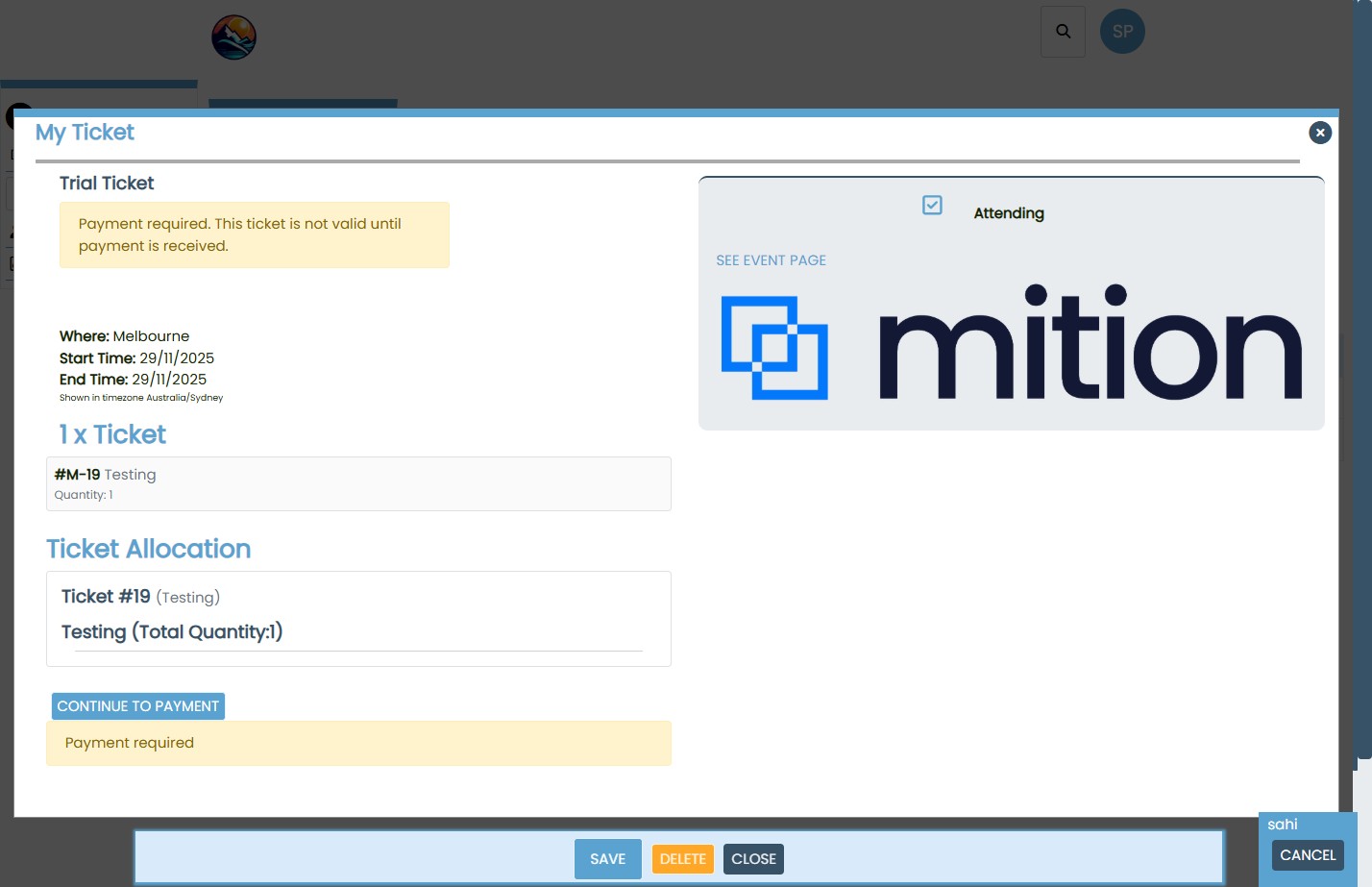
Confirm Unpaid Status
Ensure the ticket shows a Payment Required notice.
If unpaid, the user can proceed with deletion.
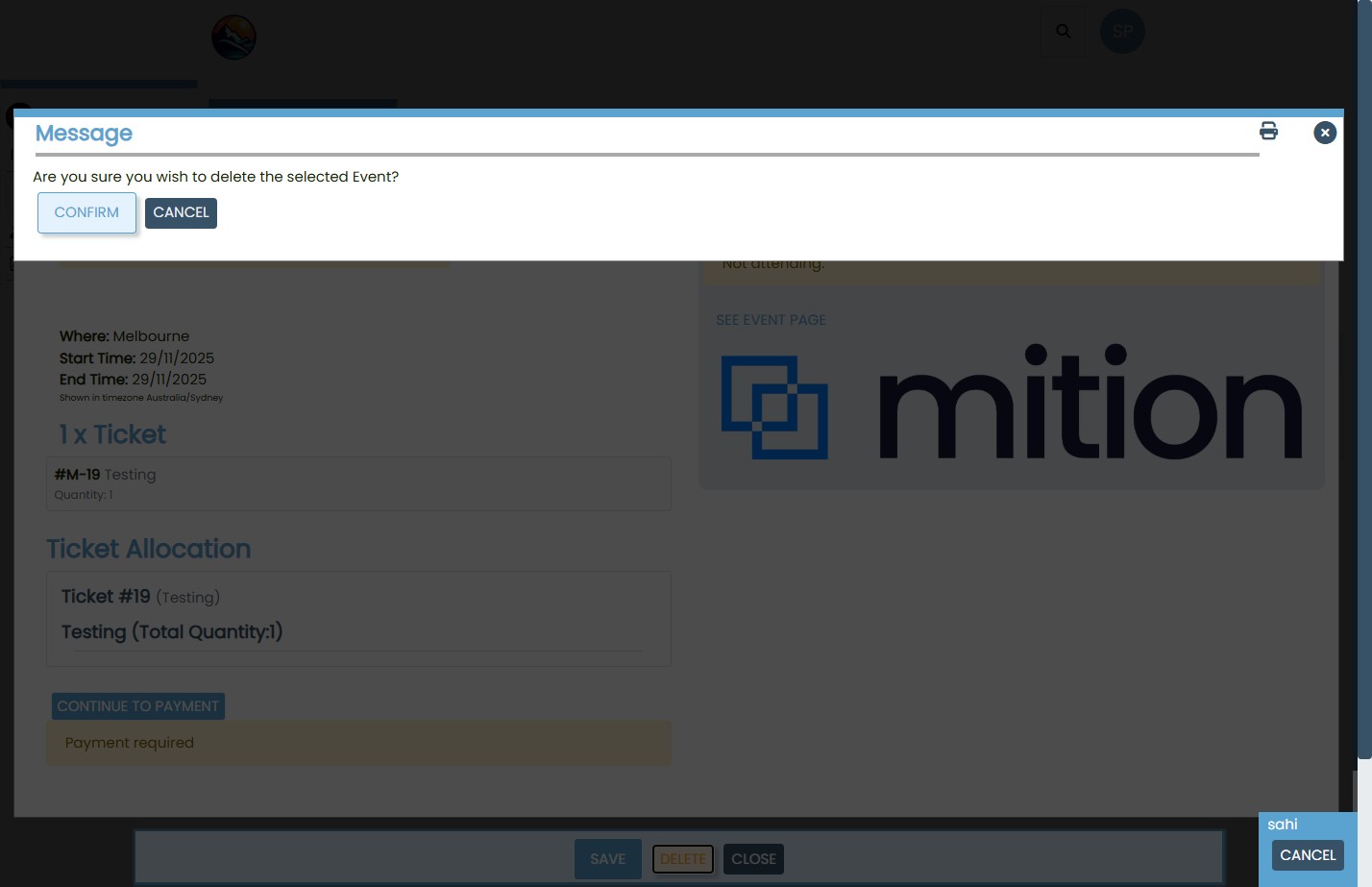
Delete Ticket
- Optionally mark the ticket as Not Attending.
- Click Delete and confirm the action.
- The system will remove the ticket and show a success message.
Refund First: Always process refunds before deleting payments or tickets.
Audit Trail: Record all actions including refund references, invoice numbers, and ticket IDs.
Multi-Ticket Caution: Review invoices with multiple tickets carefully before making changes.
User Communication: Clearly inform users that paid tickets require admin assistance for deletion.
Managing event tickets and invoices requires a structured approach to ensure accuracy, transparency, and financial compliance. By following these steps, users and administrators can confidently handle ticket deletions, maintain clean records, and provide a seamless experience for event participants. Always prioritize financial integrity and user clarity when performing these actions.
This webpage was built with Mition