Event Reports & Analytics
Knowledge Base > Events > How to Get Total Sales for an Event
For event organisers and stakeholders, having clear visibility of total sales is vital to understanding performance and planning for the future. This guide provides a straightforward method to access sales data for any event. By following the steps outlined below, you’ll be able to generate and print a simple report that captures all the key figures you need.
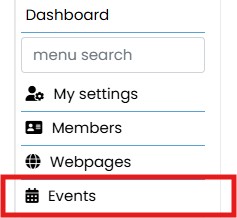
- Select an Event
Go to your event dashboard.
Choose the event you’d like to review. - Click "Attendees"
From the event menu, select the Attendees tab.
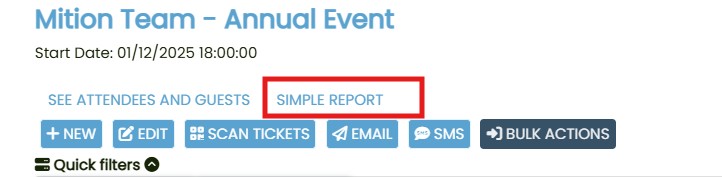
This section contains ticketing and attendee information. - Click "Simple Report"
Within the Attendees section, click on Simple Report.
The system will compile total sales data for the selected event. - Click "Print"
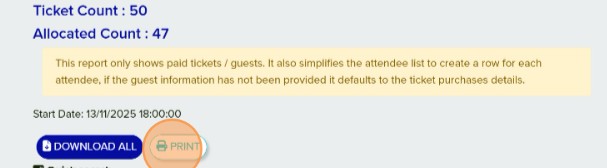
Once the report is generated, click Print to create a hard copy or save it as a PDF.
This ensures you have a record of the sales report for sharing or archiving.

- Click "Print"
Once the report is generated, click Print to create a hard copy or save it as a PDF.
This ensures you have a record of the sales report for sharing or archiving.
You can easily access and print a total sales report for your event. This process ensures you have accurate insights at your fingertips, helping you evaluate event success and make informed decisions for future planning. Having reliable sales data is not only practical but also essential for improving event outcomes.
This webpage was built with Mition